Brian the Conversion Scientist is always excited to share his knowledge about website optimization. He’s also an entrepreneur just like his clients. Dr. Jeremy Weisz from INspired INsider interviewed Brian about his highest and lowest points leading his business.
Brian talks about client negotiations, how he feels about his employees (hint: nothing but good feelings!), and advice for making a better website.
Listen to the full podcast or read the transcript: it’s educational and unexpectedly touching.
Transcript
Jeremy:
Brian, since it’s INspired INsider, I wanted to hear about what’s been a really low moment and how you pushed forward through it, and then on the flip side a proud moment.
Brian:
I think our lowest moment would have to have been when we signed up a do a pay for performance. We had a deal where we were being paid a retainer, and we also got a bonus based on how much we increased their conversion rate.
And as you can imagine on a complex site, it’s really hard to determine how much of a conversion rate increase is due to the market, how much is due to promotions the company was going to do anyway, and how much of it is due to us. But we came up with the formula that would take several different measurements and average them, and if it went to this certain point then we got a certain percentage of revenue.
We had a month go by, and there was a huge increase; it looked like our bonus was going to go through the roof. We had just started, and we know we didn’t make any changes. So we started working vigorously and the next month, they had some specials, and again we had a bonus that was just through the roof.
We felt like we had to stick by our guns because that was the agreement. I mean if every time the bonus coincidentally was in our favor was early on – rather than being lower early on – then we wouldn’t have much of a leg to stand on for future agreements like this one, which by the way we don’t do anymore.
It ended up being a very confrontational negotiation. It came to a good settlement, and we lost a customer. We lost a very interesting customer at that. So that was kind of the low point.
Jeremy:
You mean that they said it wasn’t due to you, so they didn’t want to pay you the bonus?
Brian:
That’s right.
Jeremy:
That’s painful.
Brian:
We said “You might be right it: it may not be due to us or not all of it, but the agreement says this is how we calculate the bonus.” That was the agreement: we’re going to calculate it using this formula. We had offered to cap it, and they said “No, we want you guys to be motivated to really make us rich.” And I think we could’ve, and I wish we had been able to keep going with them.
Jeremy:
How do you navigate that type of negotiation because it is a client relationship, but then also you deserve to be paid a certain amount. I’m sure this happens all the time in a lot of business type of situations. How did you come to the table, and how did you handle the negotiation? Is that an easy process?
Brian:
I think probably the most important thing we did is we got on a plane and flew out there. Being face-to-face made it more confrontational but realistically confrontational. There’s an amazing ability of the human mind to read somebody’s face, so that’s what we decided to do rather than trying to read their voices and faces over the phone. I think that was probably the most important thing.
We never wavered, but we did compromise. We didn’t get the full bonus, but we told them what we were willing to take. We did a good job making our case for it. And you know I think that’s all you can do.
Jeremy:
What would you tell someone if they experience the same situation – someone backs out of an agreement? What advice do you have for them?
Brian:
We talked about litigation, but we didn’t see that as a tactic, and we didn’t use it. I think holding the other side to their highest – even when they get heated and when they sound irrational to you – assume that they’re working for the best, and they’re working for the fairest.
There’s a fundamental difference in the way people will behave if you expect a certain thing from them.
Even in a business situation sometimes somebody’s job is on the line, and they negotiated a bad deal with you. We had one other situation where they said “We didn’t know you were going to charge so much. We didn’t quite understand the agreement.” It was a much smaller amount of money, but hold them to their highest and plan ahead of time where your concession points are. Tell them how much you’re willing to concede and concede slowly. So if you’re talking about $100,000 deal, your concession points are going to be in the $99,000 or $98,000 range.
And don’t worry about seeming unreasonable. You can keep going, but that’s where really where you find out where their concession point is. Find a compromise that you both feel like “I can take that.”
Jeremy:
Lesson learned. Now you don’t do pay for performance.
Brian:
Pay for performance has potentially two outcomes with the wrong organization. I wouldn’t rule it out categorically, but number one, you are wildly successful with them, and you become too expensive to be kept on.
Or number two, you don’t you have inclusive tests for a long period of time, so you’re not making any money with them. Your employees begin to think “Well I’m making money over here with this other client, so I’m going to spend more time on that.” So it never actually gets its fair shake past some of those early failures.
So no it doesn’t work. We do flat rate, fixed price consulting. We don’t even do hourly. It’s a flat rate. It gives us the freedom to do as much as we need to do to delight the customer. And so that’s what you want. You want someone who has the resources to really put a lot of money in your pocket.
Jeremy:
I can see with the first deal the guy made with you that they want you to be motivated, so they didn’t want to cap it which I would think makes perfect sense.
So what about the proudest moment?
Brian:
I think that there have been a number of proudest, but for me the proudest has been really over the last six months. We’ve brought on a new Conversion Scientist, and we’ve had one who has been with us for longer, but the two of them really have delighted clients. They’ve been able to come in, get up the learning curve on reading the tealeaves that are the analytics and all the other research that we do, then consistently deliver wins.
In one case, we started off very rough. We had a couple of inconclusive tests. These were language tests, and we were changing the language on buttons for a barcode company. The control beat everything. We were struggling to get statistical significance because there was also a little bit of “Should we go with this conclusion or not go with this conclusion?” It just felt very rough, so to be able to turn that around and turn it into tripling the conversion rate, it just feels great. We were running on kind of a high.
We’re in demand, and our process is really working. We do have tough clients in other sectors, but it just feels great to see other people catch the disease that I got back in 2006 of “Oh my gosh! This brings everything together!” The data, the technology, the development, and the entrepreneurial side. We’re really scrambling to make more money for our clients, so to see that excitement pop up in your employees feels really good.
Jeremy:
Is it hard to get clients to listen? When you triple conversions they probably say “I’m all ears” but before that in the initial tests, I would think it’s hard to convince them you should do things a certain way for a long time if you have these inconclusive paths.
Brian:
There is a lot of back and forth. Some clients begin to get excited and they come up with their hypotheses, and then we say “We have some of this data from a previous test” or “We saw this over here that says it’s probably not a good hypothesis”. But then other times a client will come to us with a great hypothesis, and we’ll think “Oh my gosh why isn’t that on our list?”
That conversation usually works out well, but what is harder are situations like when we had a client that sold sports memorabilia online. Customers were going to the purchase page and adding something to cart. They’re buying; they are going through the process. Then customers change the state that they live in, so the terms of the shopping cart change, and one of those little twirling rings goes off while it’s going to the database and grabbing the new tax information.
In Internet Explorer, that twirling ring didn’t go away, and it was spinning right next to the credit card number field. Imagine this: you’re about to enter your credit card number, but you’re not about to enter it until the browser says it’s ok. It’s spinning about 30 seconds then another twirling ring pops up, and now you’re thinking “I’m not going to give my credit card to these bozos”. Thirty seconds later, another twirling ring. So you have three of these spinning things.
We decided to design some java script, and we fixed it. We actually ran a test because we wanted to see how big of an impact this was having because this problem was at the buy point.
It was costing them over $1,000,000 a year in revenue!
Jeremy:
Wow that’s amazing.
Brian:
We presented this to them, and they were like “ok”.
So then we were thinking, “Wait a minute, what’s going on here? Why aren’t they more excited?” When we see a test that delivers a 25% increase, when we put it on the site it’s generally going to see a 10-12% increase in actual. There are a lot of other things come into effect and change the results, and you know 25%? That seems ok.
So with the sports memorabilia company, we were thinking, we just made you a million and a half dollars, worst case, and you’re not really reacting. That’s more perplexing to us, when they have no reaction.
Sometimes the person you’re dealing with within an organization is more worried about their job instead of what we’re doing. In enterprise organizations it really is about career advancement, and you can tell that this is not something that they think is going to help get them ahead. They’re just not as excited.
Jeremy:
It’s not their business.
Brian:
It’s an individual or someone who reports directly to the CEO or something. So that’s more frustrating. We’re rah rah’ing, and it’s silence on the other end, and you’re wondering what’s going on. They should be hiring a marching band and marching through our office.
Jeremy:
They’re covering the phone and just screaming or something.
Brian this has been an absolute pleasure. Where can we point people towards? Where should people go to check out more?
Brian:
You know everything we learn, we write about. We’re really a teaching organization because that’s what it’s going to take to get more of these websites up and optimizing. So come to Conversion Sciences.
We post several times a week there: case studies, head-scratchers, things we’ve learned, audio, there’s a lot of video, we’ve got a podcast if you like to listen to things on the commute. And you know we’ve got the data that answers some of the questions that I know are burning in your little brains.
Jeremy:
Conversion Scientist. Yeah, I was reading one this morning: why no one is reading your emails. That was a good one.
Brian:
Everything is fair game.
Jeremy:
So any final thoughts?
Brian:
Entrepreneurs: those of you who are embarking on any business right now are going to have a website to support it. I can’t think of an exception. And you’re going to go hire a web developer or maybe do that yourself. And a designer to tell you what to do. A marketer today is not going to be able to go off and do that anymore but the good news is that the data is readily available.
Even if you’re a little afraid to get a little math-y and maybe understand a little statistics, I strongly recommend that you go and poke around in analytics. Make sure that you’ve got Google Analytics – which is a free tool – installed and start building this database so you can test yourself. That’s where it all starts. Start poking around; I know us entrepreneurs are pokers. We’re going to get to know just enough about a space that we feel confident either winging it or competently hiring someone who can do it for us. You need to be doing that on the site because it will accelerate your growth, especially out of the gate when those few precious leads, few precious sales, few precious users will make or break your business.
Jeremy:
Awesome Brian, thank you so much I really appreciate it.
Brian:
Thanks for having me man. Glad I could come.


Image, Proof, Trust, Offer and Form: Parts of a Successful Dating Landing Page
Landing Page OptimizationThis is the next segment of our series on how a dating profile is like a business landing page. This series is written by Conversion Scientist Megan Hoover.
A few weeks ago when I decided it was time to optimize my dating life, I took the first step by creating a list of the qualities I’d like to attract with my profile. It’s an approach I also take in optimizing websites. I need to understand the qualities of an ideal business prospect, one that is likely to convert on the site.
Once I knew who I was looking for, I had to figure out how I’d find him in the sea of non-contenders. I came up with the (quite literal) Formula For Love.
P(first date) = db x (∑ti x 2∑tomg)
Here, P is the probability of a first date. The variable db is a one or zero, zero if there is a deal breaker. The variables ti and tomg are scores for traits that are important, and very important respectively.
Now that I know how I’ll qualify a lead, it’s time to get out my beakers and scales and use the chemistry of landing pages formula to create the landing page of me – aka fill out the big scary blank profile that will attract the kind of man I’d like to go out with.
The chemistry of the landing page
A blank page. It might be time to refill our wine glasses. Go ahead, I’ll wait.
The dating site I’ve chosen, OkCupid, gives me a series of open ended questions to fill out. There’s the vague “Self-Summary” section, the slightly less vague “What I’m doing with my life” section followed by a few more sections with more directed prompts: “The six things I could never do without”, “I’m really good at”, “The first thing people usually notice about me”, and “My favorite books, movies, shows, etc.”.
At the very end of the template is my offer and a way to take action, which I will discuss below.
Avoid Distractions
As a girl faced with the daunting task of creating a dating profile, the template is a huge relief. If you’ve ever been tasked with creating a landing page — or writing a blog post — you’ve probably been intimidated by the blank page, too. Your palms sweat, you get up 15 times to use the restroom and refill your coffee. So a corporate web template is the blank-page-sweaty-palm cure, right? It’s not so blank.
It may help with your dating profile, but it’s not a good idea for a business landing page. In the formula for creating a winning landing page, a template is not your friend. In fact, it’s likely to cause a massive chain reaction that will cause the whole experiment to fail.
Like a dating profile, a business landing page should be singularly focused. If you start with your corporate template, it’s already full of stuff like unrelated navigation and social media icons. In other words, it’s full of distractions that can take a visitor away from your primary purpose.
If he does, the chances of me converting my dream guy into a date go way down.
We want to start our landing page with a clean slate, a pure webpage. Then add an offer and a form.
Have a Great Offer
I’m stuck using a template on OKCupid, against my scientific knowledge. At least OkCupid’s template gives me a form with the call to action “Send a message” and a place to create an offer: the “You should message if” section.
As a marketer, it’s my job to make the offer compelling so that my dream suitors click that little blue button and make first contact.
Don’t break the promise that got your visitor to the page. In the case of a dating profile, the promise is a my main profile photo, user name, age and location. I’ll need to choose a photo that best represents my personality and will line up with what I present in my profile.
Promise: Trail loving Austin adventurer with a mountain bike.
Offer: A tour of the best mountain biking trails in Austin.
The Offer Should Match the Ad
For your business, make sure to think about where your visitors are coming from. Are they coming from an ad where the image displays a purple t-shirt? Then they should see a purple t-shirt on the landing page. Did you advertise 50% off of $1 bills, then your landing page needs to offer 50% off of $1 bills. Keep your promise.
Forms that Convert and Qualify
What about the form? I’m still using OkCupid’s template, so I don’t have any control over the form. In a perfect world I customize my form to help me pre-qualify some of my leads. Consider what information you actually need or want from you leads/purchasers. Sometimes, asking for more information can raise the barrier to entry and lower the number of leads you’ll receive.
Think carefully about what information is absolutely necessary for the next step as you create your form. And don’t be afraid to A/B test form length and content. Sometimes more is better, but sometimes less is. Start with a well thought out form with all relevant information to get your visitor to the next step and then test more or less information.
So now what? I’ve got an offer and I’ve got a form. I’m done right?
Technically, yes, I’ve got a dating profile and you’ve got a landing page, but will it convert?
Unlikely.
It’s time for us to dig out our goggles because we’re about to heat things up and add the catalysts.
21 Quick and Easy CRO Copywriting Hacks
Keep these proven copywriting hacks in mind to make your copy convert.
"*" indicates required fields
Provide Proof
Put your protective gloves on for this one, we’re about to add a dash of proof.
We have to demonstrate that what we’re saying is true. Have you sold 13 billion hamburgers? Say that. It’s even better if you say 13,982,534,121 hamburgers sold. Do you have a customer that is well known or willing to lend you a quote or their logo?
I asked a few ex-boyfriends if they’d give a reference, but thought better of actually posting those on my profile.
Since posting logos or quotes on a dating profile isn’t going to work, I have to rely heavily on copy to provide proof. The more specific I get the better proof I’ll provide. Instead of saying, “I enjoy mountain biking” I can say, “I ride my Contessa Scott every Sunday at Walnut Creek Park”.
Instead of “I enjoy volunteering with animals,” I would say “Jake the Tank is my favorite four-legged Jog-a-Dog companion.”
I can utilize profile photographs. “I love to travel” is vague, but a photo of me on top of the Great Wall of China is better proof of that enjoyment. We’ll talk more about images in a minute.
Proof makes visitors feel more comfortable taking action by overcoming their objections. It’s the logical argument that supports an emotional decision.
So what are my potential dates’ objections? Do I have anything in common with this person? If I message her will she respond? Is she looking for the same thing I am? Will I be wasting my time by messaging her? Is she even a real person?
In your business, what are your visitors’ potential objections? What would stop a visitor from filling out your form or making a purchase on your site?
In the online dating world a big red flag is a blank profile. How serious is a guy if he can’t even be bothered to write a few paragraphs about himself? The same goes for businesses. A blank page with nothing but a form isn’t enough for a visitor to take you seriously.
When writing copy for a landing page there should be just enough to overcome objections and no more. Dating profiles are no different. Data shows that shorter profiles in a conversational style get far more attention than long resume-style profiles do.
Build Trust
My most powerful trust builder will also be copy. The tone of my copy needs to be friendly and approachable, overcoming the fear of rejection, and I need to make sure I mention exactly what I’m looking for and some specific things my ideal date would have in common with me.
Some common visual ways to add trust to your business landing pages are your company logo, recognized affiliate logos – Visa/Mastercard are common in eCommerace – and certifications. Do you have a Better Business Accreditation? What about Norton antivirus?
A word of caution on trust symbols: too much can come off sketchy. Have you ever been to a site that just rams trust down your throat with pop-ups, stickies, and giant logos? It starts to feel like you’re on a used car lot and not one of the fancy “certified pre-owned” ones.
In my dating profile I’ll need to avoid ramming my niceness, smarts or creativity down anyone’s throat. If I mention in each section that “I’m super nice” by the time they get the message portion they might be wondering if I’ve just set them up to receive a really insulting reply.
OkCupid has another trust tool that often gets overlooked: the “how often do they respond” bar. If one of the biggest fears of dating is rejection, having a yellow or green bar can up the chances of a person messaging. Being too selective with replies can tear away trust that you’re serious or could send the signal that only models with Ph.Ds should apply.
OkCupid’s trust tool shares how often everyone responds to messages
Do you respond within 24 hours to all inquires? Do you have a chat or phone number customers can utilize? These types of communication standards go a long way to assure visitors that they can trust your business.
We’ve overcome most of our visitors’ major objections by building trust with copy and images, and they’re almost ready to contact us or buy from us. How can we push them over the edge?
Show the Product
The final component of a landing page is the images. Studies show that it is the most important component of a dating profile, and it’s the first thing on a dating profile.
One of the biggest fears people have in online dating is their date looking totally different in person than they do online. I can build trust by choosing recent photos without any fancy filters and by adding a date to my photos to assure nervous suitors that I probably haven’t gained 100 pounds since March of 2015, and that I look okay without the wonders of photoshop.
This is true for both online dating sites and your business landing page. OkCupid won’t even show my profile to users if I don’t have a photo.
Without an image, my dating landing page doesn’t exist.
If your product is tangible it’s pretty easy. But if you offer a service or a downloadable PDF it might be more difficult. Choose an image that allows visitors to imagine what it will be like after they’ve completed the offer.
Video is classified just an image delivered at 30 frames per second usually with audio.
The same goes for my dating profile. To attract the kind of man I want to date I need to choose images that are fun, active, and show me – no photos of that hot friend I talked about earlier. I need my potential suitors to be able to imagine meeting me in person and having a good time doing something we both love. Your photos should capture the same feelings.
A Complete Page
If you want to get a reaction from your visitors, you have to have all of the components. We started with a pure webpage (or as pure as possible) and added and created an offer and a form thinking carefully about how our potential customers/suiters arrived at this landing page. We spruced the landing page up with a bit of proof and trust and carefully added appropriate images. Voila! We’ve mixed up the perfect landing page (aka dating profile) to attract the customer we want – in my case someone to hold my lab coat.
If you’re finding my project entertaining, you should also check out Amy Webb’s Ted Talk and book.
21 Quick and Easy CRO Copywriting Hacks
Keep these proven copywriting hacks in mind to make your copy convert.
"*" indicates required fields
Building a Website Optimization Business [AUDIO]
Conversion OptimizationBrian the Conversion Scientist is always excited to share his knowledge about website optimization. He’s also an entrepreneur just like his clients. Dr. Jeremy Weisz from INspired INsider interviewed Brian about his highest and lowest points leading his business.
Brian talks about client negotiations, how he feels about his employees (hint: nothing but good feelings!), and advice for making a better website.
Listen to the full podcast or read the transcript: it’s educational and unexpectedly touching.
Subscribe to Podcast
Transcript
Jeremy:
Brian, since it’s INspired INsider, I wanted to hear about what’s been a really low moment and how you pushed forward through it, and then on the flip side a proud moment.
Brian:
I think our lowest moment would have to have been when we signed up a do a pay for performance. We had a deal where we were being paid a retainer, and we also got a bonus based on how much we increased their conversion rate.
And as you can imagine on a complex site, it’s really hard to determine how much of a conversion rate increase is due to the market, how much is due to promotions the company was going to do anyway, and how much of it is due to us. But we came up with the formula that would take several different measurements and average them, and if it went to this certain point then we got a certain percentage of revenue.
We had a month go by, and there was a huge increase; it looked like our bonus was going to go through the roof. We had just started, and we know we didn’t make any changes. So we started working vigorously and the next month, they had some specials, and again we had a bonus that was just through the roof.
We felt like we had to stick by our guns because that was the agreement. I mean if every time the bonus coincidentally was in our favor was early on – rather than being lower early on – then we wouldn’t have much of a leg to stand on for future agreements like this one, which by the way we don’t do anymore.
It ended up being a very confrontational negotiation. It came to a good settlement, and we lost a customer. We lost a very interesting customer at that. So that was kind of the low point.
Jeremy:
You mean that they said it wasn’t due to you, so they didn’t want to pay you the bonus?
Brian:
That’s right.
Jeremy:
That’s painful.
Brian:
We said “You might be right it: it may not be due to us or not all of it, but the agreement says this is how we calculate the bonus.” That was the agreement: we’re going to calculate it using this formula. We had offered to cap it, and they said “No, we want you guys to be motivated to really make us rich.” And I think we could’ve, and I wish we had been able to keep going with them.
Jeremy:
How do you navigate that type of negotiation because it is a client relationship, but then also you deserve to be paid a certain amount. I’m sure this happens all the time in a lot of business type of situations. How did you come to the table, and how did you handle the negotiation? Is that an easy process?
Brian:
I think probably the most important thing we did is we got on a plane and flew out there. Being face-to-face made it more confrontational but realistically confrontational. There’s an amazing ability of the human mind to read somebody’s face, so that’s what we decided to do rather than trying to read their voices and faces over the phone. I think that was probably the most important thing.
We never wavered, but we did compromise. We didn’t get the full bonus, but we told them what we were willing to take. We did a good job making our case for it. And you know I think that’s all you can do.
Jeremy:
What would you tell someone if they experience the same situation – someone backs out of an agreement? What advice do you have for them?
Brian:
We talked about litigation, but we didn’t see that as a tactic, and we didn’t use it. I think holding the other side to their highest – even when they get heated and when they sound irrational to you – assume that they’re working for the best, and they’re working for the fairest.
There’s a fundamental difference in the way people will behave if you expect a certain thing from them.
Even in a business situation sometimes somebody’s job is on the line, and they negotiated a bad deal with you. We had one other situation where they said “We didn’t know you were going to charge so much. We didn’t quite understand the agreement.” It was a much smaller amount of money, but hold them to their highest and plan ahead of time where your concession points are. Tell them how much you’re willing to concede and concede slowly. So if you’re talking about $100,000 deal, your concession points are going to be in the $99,000 or $98,000 range.
And don’t worry about seeming unreasonable. You can keep going, but that’s where really where you find out where their concession point is. Find a compromise that you both feel like “I can take that.”
Jeremy:
Lesson learned. Now you don’t do pay for performance.
Brian:
Pay for performance has potentially two outcomes with the wrong organization. I wouldn’t rule it out categorically, but number one, you are wildly successful with them, and you become too expensive to be kept on.
Or number two, you don’t you have inclusive tests for a long period of time, so you’re not making any money with them. Your employees begin to think “Well I’m making money over here with this other client, so I’m going to spend more time on that.” So it never actually gets its fair shake past some of those early failures.
So no it doesn’t work. We do flat rate, fixed price consulting. We don’t even do hourly. It’s a flat rate. It gives us the freedom to do as much as we need to do to delight the customer. And so that’s what you want. You want someone who has the resources to really put a lot of money in your pocket.
Jeremy:
I can see with the first deal the guy made with you that they want you to be motivated, so they didn’t want to cap it which I would think makes perfect sense.
So what about the proudest moment?
Brian:
I think that there have been a number of proudest, but for me the proudest has been really over the last six months. We’ve brought on a new Conversion Scientist, and we’ve had one who has been with us for longer, but the two of them really have delighted clients. They’ve been able to come in, get up the learning curve on reading the tealeaves that are the analytics and all the other research that we do, then consistently deliver wins.
In one case, we started off very rough. We had a couple of inconclusive tests. These were language tests, and we were changing the language on buttons for a barcode company. The control beat everything. We were struggling to get statistical significance because there was also a little bit of “Should we go with this conclusion or not go with this conclusion?” It just felt very rough, so to be able to turn that around and turn it into tripling the conversion rate, it just feels great. We were running on kind of a high.
We’re in demand, and our process is really working. We do have tough clients in other sectors, but it just feels great to see other people catch the disease that I got back in 2006 of “Oh my gosh! This brings everything together!” The data, the technology, the development, and the entrepreneurial side. We’re really scrambling to make more money for our clients, so to see that excitement pop up in your employees feels really good.
Jeremy:
Is it hard to get clients to listen? When you triple conversions they probably say “I’m all ears” but before that in the initial tests, I would think it’s hard to convince them you should do things a certain way for a long time if you have these inconclusive paths.
21 Quick and Easy CRO Copywriting Hacks
Keep these proven copywriting hacks in mind to make your copy convert.
"*" indicates required fields
Brian:
There is a lot of back and forth. Some clients begin to get excited and they come up with their hypotheses, and then we say “We have some of this data from a previous test” or “We saw this over here that says it’s probably not a good hypothesis”. But then other times a client will come to us with a great hypothesis, and we’ll think “Oh my gosh why isn’t that on our list?”
That conversation usually works out well, but what is harder are situations like when we had a client that sold sports memorabilia online. Customers were going to the purchase page and adding something to cart. They’re buying; they are going through the process. Then customers change the state that they live in, so the terms of the shopping cart change, and one of those little twirling rings goes off while it’s going to the database and grabbing the new tax information.
In Internet Explorer, that twirling ring didn’t go away, and it was spinning right next to the credit card number field. Imagine this: you’re about to enter your credit card number, but you’re not about to enter it until the browser says it’s ok. It’s spinning about 30 seconds then another twirling ring pops up, and now you’re thinking “I’m not going to give my credit card to these bozos”. Thirty seconds later, another twirling ring. So you have three of these spinning things.
We decided to design some java script, and we fixed it. We actually ran a test because we wanted to see how big of an impact this was having because this problem was at the buy point.
It was costing them over $1,000,000 a year in revenue!
Jeremy:
Wow that’s amazing.
Brian:
We presented this to them, and they were like “ok”.
So then we were thinking, “Wait a minute, what’s going on here? Why aren’t they more excited?” When we see a test that delivers a 25% increase, when we put it on the site it’s generally going to see a 10-12% increase in actual. There are a lot of other things come into effect and change the results, and you know 25%? That seems ok.
So with the sports memorabilia company, we were thinking, we just made you a million and a half dollars, worst case, and you’re not really reacting. That’s more perplexing to us, when they have no reaction.
Sometimes the person you’re dealing with within an organization is more worried about their job instead of what we’re doing. In enterprise organizations it really is about career advancement, and you can tell that this is not something that they think is going to help get them ahead. They’re just not as excited.
Jeremy:
It’s not their business.
Brian:
It’s an individual or someone who reports directly to the CEO or something. So that’s more frustrating. We’re rah rah’ing, and it’s silence on the other end, and you’re wondering what’s going on. They should be hiring a marching band and marching through our office.
Jeremy:
They’re covering the phone and just screaming or something.
Brian this has been an absolute pleasure. Where can we point people towards? Where should people go to check out more?
Brian:
You know everything we learn, we write about. We’re really a teaching organization because that’s what it’s going to take to get more of these websites up and optimizing. So come to Conversion Sciences.
We post several times a week there: case studies, head-scratchers, things we’ve learned, audio, there’s a lot of video, we’ve got a podcast if you like to listen to things on the commute. And you know we’ve got the data that answers some of the questions that I know are burning in your little brains.
Jeremy:
Conversion Scientist. Yeah, I was reading one this morning: why no one is reading your emails. That was a good one.
Brian:
Everything is fair game.
Jeremy:
So any final thoughts?
Brian:
Entrepreneurs: those of you who are embarking on any business right now are going to have a website to support it. I can’t think of an exception. And you’re going to go hire a web developer or maybe do that yourself. And a designer to tell you what to do. A marketer today is not going to be able to go off and do that anymore but the good news is that the data is readily available.
Even if you’re a little afraid to get a little math-y and maybe understand a little statistics, I strongly recommend that you go and poke around in analytics. Make sure that you’ve got Google Analytics – which is a free tool – installed and start building this database so you can test yourself. That’s where it all starts. Start poking around; I know us entrepreneurs are pokers. We’re going to get to know just enough about a space that we feel confident either winging it or competently hiring someone who can do it for us. You need to be doing that on the site because it will accelerate your growth, especially out of the gate when those few precious leads, few precious sales, few precious users will make or break your business.
Jeremy:
Awesome Brian, thank you so much I really appreciate it.
Brian:
Thanks for having me man. Glad I could come.
UX vs. CRO Webinar Replay
Conversion OptimizationThe knockout punch came near the end of the webinar. Who won, UX or CRO?
Watch the Webinar Replay
Listen to the Podcast
We shot this webinar because I had two things happen in the past year that made me wonder if we shouldn’t be doing more UX as a part of our CRO efforts.
First, we helped redesign a client site using conversion optimization. During the redesign, the client experienced significant increases in demos and sales of its software. To date we’ve almost tripled their demo requests.
Then, I happened across a landing page that I felt was very well done. When I asked the designer of that page how they had arrived at that design, Adam Treister told me they had done a UX process on it. And he had documented the process in a Udemy course. The page increased enrollment clicks by 246%.
Two different approaches. Two great results. I invited my UX friend Sarah Jabeen of DiscoverSTEAM to debate this with me. How are these two process different? How are they the same?
There is only one way for you to find out.
Subscribe to Podcast
21 Quick and Easy CRO Copywriting Hacks
Keep these proven copywriting hacks in mind to make your copy convert.
"*" indicates required fields
Is Google Using Mobilegeddon to Lead You Astray?
Conversion-Centered DesignThe Threat: Mobilegeddon, Google’s search algorithm change that would penalize mobile websites that weren’t “mobile friendly”.
There is little as scary to an online business as having your source of traffic threatened. However, Google put some resources in place and is making recommendations to businesses to help them become mobile-friendly.
The recommendations will not help you become mobile-friendly. They will make you Google-friendly. Google calls something “mobile-friendly” if a website fits into a small screen, if the fonts are large and if the content remains largely in tact. We call a site “mobile-friendly” if it entices more visitors to buy, call or fill out a form.
The two often aren’t the same.
Google’s Webmaster’s Mobile Guide recommends responsive web design, or RWD. We don’t believe that RWD is the right answer. In my new column Is Google Using Mobilegeddon to Scare Website Owners into Bad Decisions? I explain why responsive web design is a poor strategy for mobile websites.
Subscribe to Podcast
Here’s a simple example. I was invited to attend a webinar. It had a great slate of speakers and a topic I was keenly interested in. I got the email on my cell phone, as many of us do. The registration page was responsive. It morphed to fit my mobile screen, resizing images, stacking sections… and then this.
This form required two screen shots to capture all of the sixteen fields.
It’s hard to fill out forms on a mobile device. Despite my excitement about the topic, “Advanced Conversion Strategies for Mobile Search,” I didn’t register. I intended to go back and register from my laptop, but had forgotten all about it within 30 seconds.
The punchline is that a webinar discussing great mobile experiences essentially asks mobile visitors to go away, and a LOT of desktop visitors, too. Workcast.com, the host of this monstrous form, thinks their job is to host webinars. Those of us that do webinars know that their job is to generate leads.
I would have offered an autofill via linked into get the form started. I would have removed the address fields on mobile. I would have removed Industry, Company Size and a description of the company. Make the sales people do a little research for crying out loud.
The point is this: Mobile visitors expect a mobile experience. Responsive design delivers a smaller desktop experience. No thanks, Google.
Read my entire rant on Marketing Land.
How Many Customers Are You Losing Due to Responsive Web Design?
Conversion-Centered DesignThe increasing popularity of a variety of devices to access the internet—ranging from small handheld phones to tablets and laptops—have led web designers and marketers to work on approaches to make the devices more compatible with Internet usage. They are studying ease of scrolling and navigation, visual appeal, support of different screen sizes, richer experiences and faster page loads.
Adaptive Web Design (AWD) and Responsive Web Design (RWD) are different methods that arrive at the same solution. RWD is the hotter and more popular approach now, but before you decide to jump on the bandwagon, take a look at AWD. It may prove to be a better and more far-sighted approach for mobile web design.
At the heart of it, both AWD and RWD are two different ways of approaching the same goal: to create effective and impactful, functional and customized web design which can be easily visualized on any device. But as you read on, you will find that it may be the more complex and resource intensive AWD which may be a better option for designers in the long run.
The Difference Between RWD and AWD
Responsive Web Design
RWD is the popular design choice right now. It is a dynamic rendering of a web page based on fluid changes in layout according to the screen size and resolution. Thus, the design is responds to the screen size dynamically and instantly.
The images are flexible in size and the use of fluid grids is necessary. There are changes in the width of the elements in response to changing window sizes. This kind of web design makes use of queries to detect devices, so it is useful for advanced phones with certain operating systems versions.
Ethan Marcotte introduced this strategy. The basis behind it was the permanent state of impermanence in the web design world —the web design has to keep evolving and shaping itself in response to changes. Thus, the advantage of this design is this: the same design can be used for viewing the website on different devices. This change in design is made possible by changes in the width and number of columns for storing text (container fields) in the code for the web page. RWD is a real-time, dynamic, changing web design.
An example of RWD is that used by Barnes and Ernst, debt management experts in the UK. As you can see [need figure reference, or move images closer], the content is configured keeping in mind the interests of desktop and mobile users. Because of the increase in mobile users who were accessing their website through their smart phones, the company introduced mobile-specific search advertising and subsequently mobile-optimized websites.
Their aim was to deliver the required information to customers in a speedy way, without pushing down too much information. Based on their long-term goals and requirements, they went with the RWD one-size-fits-all approach: a single platform for all devices. Through this approach, they were able to optimize their site experience without the hassle of creating multiple websites. The site makes use of the smart-phone technology (touch/swipe), JavaScript, fluid queries, and flexible queries.
Baines and Ernst responsive web design on a desktop
Baines and Ernst responsive web design on mobile
Adaptive Web Design
AWD requires several different formats of the website — often different templates — to be made and kept ready for different devices, unlike RWD. The version of the website displayed to the viewer is based on several factors such as the location, kind of device and OS. AWD requires more up-front effort and development, but it offers a customized experience for mobile audiences. AWD is the better option for marketers who are into content-rich marketing and who need to deliver content of all kinds to their audience.
Avenue 32’s adaptive web design on a desktop
Avenue 32, a top-notch luxury retail brand, has made use of AWD to design its websites suitable for smart phone and tablet. The use of AWD has helped the brand create a visually and functionally engaging and rich experience, which matches its desktop website, which is content-rich and engaging.
This creates an equally rich mobile experience, in which customers experience content from wherever they may be. When you compare the desktop and mobile versions of the website, you can see that the content is more or less the same, but has been arranged in a way best seen on a desktop or mobile screen.
Avenue 32’s adaptive web design on mobile
The URLs for both websites can be the same (dynamic serving) or through use of different URLs (mobile specific and desktop specific, for instance), so the website visitors see is determined by the kind of device and operating system being used. Use of predesigned and customized landing pages may save time and glitches, which may otherwise happen in a dynamic RWD system.
Why is AWD the Design Choice with the Advantage?
Use of AWD makes accessing Internet pages more efficient. Pages load much more quickly with AWD, which improves the user experience and has been proven to increase conversion rates. This is because only those files which are required are transferred from server to mobile device. Optimum media files can be chosen that are suitable for the device and browser. This is how AWD delivers specific user experiences. Unlike AWD, RWD is more limited in generating optimized user experiences.
Adaptive web design can be used for older mobile phones unlike responsive web design which needs the latest technology and recent phones plus use of CSS queries. The reason AWD doesn’t need the latest technology is because it makes use of client or server side code to detect the devices. This is good for the lower-end phones and older generation mobile phones which are not CSS optimized and thus do not have the ability to understand media queries and translate them.
Why is it important for a website to be accessible on many generations of mobile technology? Even if a company is located in an affluent part of the world where there is a rapid turnover in technology, huge parts of the global population – in Africa and Asia, for instance – do not have the financial means to have the newest smart phone. You would be putting your company at risk of missing out on new markets that may want what you’re selling but can’t access it easily.
You can easily deliver content to low-end mobile phone users in these countries who have much lesser bandwidth, poorer batteries and possess less power by using AWD. Adaptive means your marketing efforts lead to maximum inclusiveness.
Another advantage of AWD over RWD is that responsive web design may not be able to integrate all advertisements into every possible screen resolution as it dynamically adjusts itself. This problem is less of an issue with AWD since advertisements of all kinds can be tailored into it.
One example of the power of AWD is in the way Future Insights website generates pages. As you can see, the best customized webpage shows up for each device.
Future Insights’ set of webpages
All you need to do is to make one master version of the website, which can be tailored to make many minor versions of it. Thus, AWD offers many advantages without the drawbacks of RWD. AWD’s emphasis is on the overall functionality of the device rather than just the design. Sites using AWD can be more user-focused for mobile devices.
If you dream of achieving wider mobile Internet reach, don’t jump on the responsive bandwagon with out taking a hard look at adaptive mobile design.
About the Author
Conversion Optimization has been Around as Long as Commerce
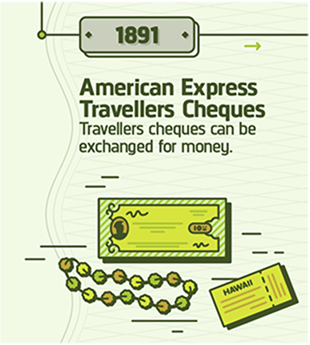
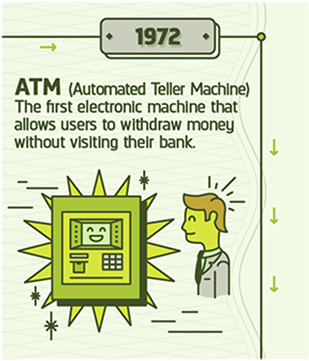
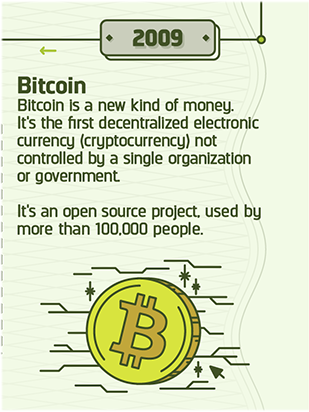
Ecommerce CROWe came across this infographic from ecommerce-platforms.com, The History of Commerce from Cattle to Bitcoin, and realized that conversion optimization has been around as long as commerce. Conversion optimization is the art and science of making more money from what you have. It is about getting more currency from the investments you’ve already made. Today we tend to associate optimization with websites and traffic, but making more from what you have goes back as far as 9000 BC.
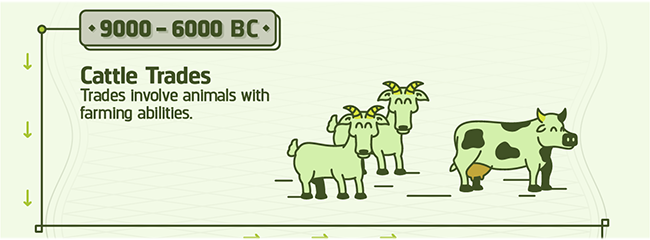

Take for example, cattle trading.
Farmers and shepherds optimized their herds by encouraging procreation. This made more “currency” from the stock they had. To this end, they were known to play romantic music and light candles to encourage an amorous atmosphere. In extreme situations, the shepherds were known to get the animals drunk, hoping for a hookup or two.
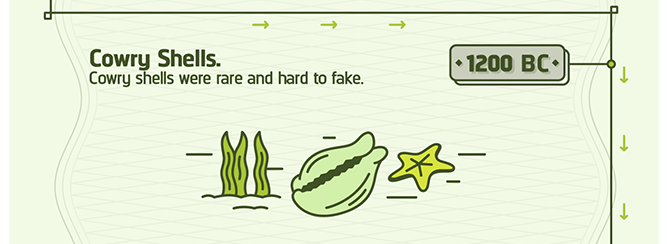
Unfortunately, this didn’t work with cowry shells. It was never clear what would make mollusks feel more amorous toward each other. So, optimizers invested in snorkeling gear hoping to find more of the rare shells. While it was centuries before the technology was perfected, this is considered the origin of SCUBA diving.
This is also most likely the origin of the phrase “For just a few clams.”
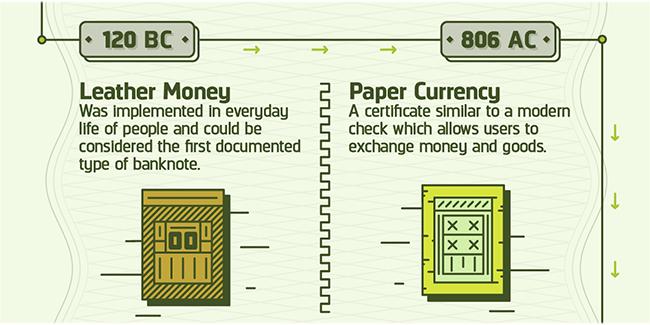
When leather money was invented, conversion optimization consisted of stretching the skins, hoping to get more from each leather bill.
We refer to this kind of optimization when we talk about “Stretching your dollar.”
As early as the 1500s, native Americans used VWO (Visual Wampum Optimizer) to get more from their money. This is an early forerunner of the Visual Website Optimizer tool we use today.
With the invention of Travelers Cheques, the slogan, “Don’t leave home without them” entered the American vernacular.
Savvy optimizers knew the way to hang on to more of their money was to not spend it. They adopted a new version of the slogan, “Don’t leave home.” Unfortunately, a whole generation of young adults seems to have adopted this motto, much to the chagrin of their parents.
The banks got into the optimization game with the invention of ATMs. They were able to charge us for the privilege of giving us our own money. Optimization revealed that banks can charge higher ATM fees when the machines were placed in strategic locations.
For example, banks learned that they could charge as much as $10 in fees for machines placed near car impoundment lots and in Las Vegas casinos.
With the advent of Bitcoin, optimization has come full circle. In 9000 BC, optimization was all about farming. Bitcoin is created from “farms” of computers doing near impossible calculations.
And, based on the unpredictable behavior of Bitcoin entrepreneurs, alcohol would almost certainly have to be involved.
Today, the best way to get the most from your investment in traffic and web properties is to call a Conversion Scientist. During our href=”/contact-conversion-sciences/”>free consultation, we’ll tell you exactly how to optimize your online business and get an “unfair” advantage over your competition.
How would you have optimized the currency from the other eras in the infographic? Tell us in the comments.
History of Commerce: From Cattle to Bitcoin, infographic created by Ecommerce Platforms.
5 Smart Calls-to-Action That Make Visitors Click
Conversion-Centered DesignCompanies will typically spend $92 to bring customers to their site, but only $1 to convert them. Traffic is only half the solution to a successful online business.
If you’re putting 90% of your effort into driving traffic to your site, and minimal effort into optimizing your site for conversions then you may as well throw off the lab coat right now.
Like any great scientific experiment, you need to include the right elements to create a winning formula. And when it comes to a winning conversion formula, nothing screams “Sale!” more than a good call-to-action (CTA).
On paper the equation looks easy. Create a clear CTA for a product that delivers, and you’ll achieve sales.
So why is it that 47% of websites don’t have a CTA that can be found within 3 seconds or less? You shouldn’t expect a customer to take action if you haven’t made it abundantly, painfully, overwhelmingly clear what you want them to do. This is one reason many sites are losing the precious visitors they’ve struggle to bring to the site.Take a look at these smart calls-to-action with tips on how to use them effectively – from the homepage – right through to the sale.
#1. How to get people to sign up for an account: Basecamp
Basecamp’s CTA
Basecamp is a product that has enjoyed amazing online success year after year. Look at the Basecamp homepage and notice where your eyes are drawn first. Yup, it’s the call-to-action. It stands out like a sore thumb.
The minimalist design of the page really makes the sign up button pop. It’s a huge block of color, surrounded by white space. The key here is that the dark color of blue isn’t used anywhere else on the page, so it is the most visually “important” thing on the page.
Your pages should make it visually clear what path the visitor should take in order to move to the next step in their journey to conversion.
#2. How to get people interested in your product: MyOwnBike
CTA to design your bike on MyOwnBike
Smart CTAs even transcend language barriers. You don’t have to speak Germany to understand what it wants you to do.
As soon as you jump on the MyOwnBike homepage, you are invited to start designing your own bike via some persuasive writing techniques.
Again, a minimalist design is centered around the product image with a prominent call-to-action begging the visitor to click. And once clicked, the visitor gets to design their own bike and watch it transform in front of their very eyes – making it fun and engaging.
It’s a no-nonsense approach that relies solely on design to show the visitor what they should do next.
#3. How to push people to the product page: Asos
Shopping option CTAs on Asos
Sometimes, the CTA need only put the visitor on the right path. The CTA on the homepage of Asos does an excellent job of getting the visitor into the right part of the site. Visitors are split into two, males and females. To tackle this problem, Asos features two huge CTAs that lets the visitor pick which gender they would like to shop for.
This is a smart and simple way to move shoppers through to the category pages, where they’ll hopefully refine their search further and find exactly what they’re looking for.
The usual principles of a strong call-to-action apply, of course. The page uses liberal amounts of white space. Branding and navigation elements are black. This ensures the ‘View Women/View Men’ buttons clearly stand out in a vibrant blue color.
#4. How to push people to the checkout: Amazon
Your CTAs shouldn’t compete. One CTA should is ideal, but you often need to add more than one CTA. This is where it becomes a little trickier to refine your CTAs. Competing CTAs cause confusion and friction. A secondary offer on the page may cannibalize conversions from the primary, more desirable offer.
The Amazon product page uses color and position to achieve this on its product pages.
Two examples of Amazon’s primary and secondary CTAs
When a shopper is debating whether to buy they have two options:
The clear option is for the shopper to add the product to their basket so they can checkout. But if the visitor is hesitating, the ‘add to wish list’ button gives the visitor a back up option. Rather than losing that visitor to a competitor, Amazon chooses to provide a lower-commitment option.
The color and button size of the primary CTA sends powerful signals about what a visitor should do. And if you look at the contrast between the primary and secondary calls-to-action, you can see how much more attractive the primary option is.
The key here is to use a clear visual hierarchy with your primary and secondary CTAs, to push them towards the sale.
#5. How to make the sale: BarkBox
Once you click ‘get started’ on the BarkBox homepage, the journey from the product to the checkout page is simple, clear and most importantly, engaging.
First, using fun illustrations you select the size of your dog.
Barkbox’s visual tactic leading you to the sale
The call to action here is “Select Dog Size.” It is not presented on a button or link.
The next step asks visitors to select a monthly plan. Notice how the most expensive plan is highlighted as the best value.
Barkbox’s monthly plans
You’re then given the option to treat your dog to a toy. Notice how the ‘Yes Please’ option is highlighted automatically.
Barkbox’s upgrade option offers both a positive and negative call to action.
In general humans are reluctant to say “No,” so the negative call to action, “No, thank you.” may actually reinforce the primary call to action, “Yes, please!”
The site then asks for an email address.
The call to action is “Create Your Account”
By clicking on, “Next,” you’ll be taken to the shipping and payment page. This page is crucial to closing the sale, and as you can see from BarkBox, they really hit the nail on the head. They don’t ask for more details than necessary, and they don’t include any hidden charges – a reason why 70% of shoppers on most sites abandon their carts.
The form asks for minimal information to complete the sale
The key takeaway here is that calls to action rarely stand alone. The process of purchasing is a series of calls to action, each of which may or may not be a button or link.
Top tip for your checkout page: If you need to use a multi-step process then use a visual progress indicator like a progress bar so customers can manage their expectations regarding how long it will take.
Closing Thoughts
As you can see from these powerful examples, the CTA is clear, each standing out clearly on the page, and each having an intended purpose. By using contrasting colors, on a clean and simple web page, you’ll make your CTAs stand out and guide your visitors to the sale.
Looking for more awesome ways to supercharge your website? Download this eBook for 10 ways to convert shoppers into buyers.
About the Author
Bryan Robinson is a Digital Business Analyst in charge of Marketing for the Commerce division at Spark Pay. He specializes in Lead Generation, PPC and SEM, while also overseeing content production for Spark Pay online store. He has also started and flipped his own eCommerce websites for over 10 years.
The Conversion Optimization Tools Your Competition Will Dominate With [AUDIO]
CRO Tests | Multivariate | AB TestingThe fight for online leads and sales has traditionally been fought at the search engine. That is changing.
Web analytics, bid management, competitive intelligence, ad testing and ad management tools are all common staples of any serious paid search effort. Return on ad spend (ROAS) is being tracked all the way through the sign up or purchase process and ad strategies are being adjusted accordingly.
Quietly, the battle for online leads is moving to a new front. This new front is measured by revenue per visit, and it’s kissing cousin, conversion rate. Like the tide that floats all boats, website optimization is being seen as the way to reduce all marketing costs by dropping the acquisition cost of new prospects and customers.
Why do we say this is happening quietly? That is the conclusion we came to when examining an unusual data set from SpyFu.com. We were able to determine which businesses had conversion optimization tools installed on their website. This, we reasoned, gave us a pretty good idea of which businesses would dominate in the world of online marketing — assuming they were actually using the tools.
Subscribe to Podcast
In one report, 73% of businesses are spending between $500 and $5000 per month on paid search ads. Almost a quarter are spending between $5000 and $50,000 per month. Yet, only 14% of businesses have at least one website optimization tool installed.
Who are going to be the winners in this new front? Where does your business fit in this statistic?
6 Ways Successful Videos Use Stories
Conversion Marketing StrategyIn October of 2014 iNature Skincare, a small skincare company, sought to increase visits to their website and grow recognition of their products. They sponsored a video called “Comfortable” proposed by an independent filmmaker.
It was a gamble.
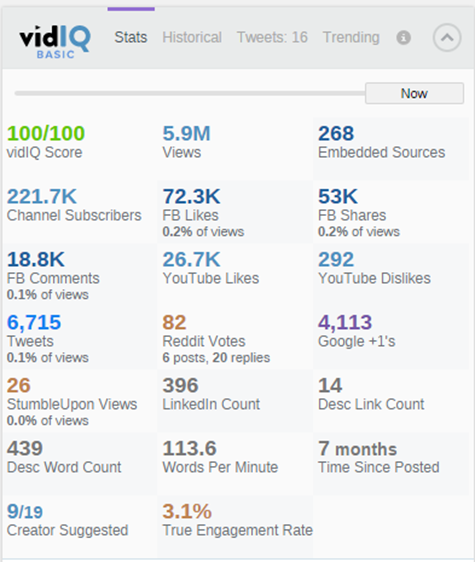
The video went viral, with over 4 million views on YouTube in the first two weeks.
The video has now delivered almost six million views, is embedded on over 268 sites (now 269), and enjoys tens of thousands of likes, shares, subscribers and tweets.
iNature reached out to us shortly after the video launched. They were not seeing a consummate increase in sales on their website. Four million views had not turned into a windfall for them.
What happened?
Story is Powerful
We use stories in our writing when we want to engage and move our readers to action.
Karl Jung believed that our collective unconscious contains the seed of stories universal to us all from the moment of birth.
Fairy Tales follow similar story patterns, regardless of the culture or era they are told.
Tapping the power of stories in our marketing messages is powerful, so powerful it can overshadow our products, as it did iNature.
What is story and how can we weave it into our videos?
1. Conflict
A story is a journey. The most rudimentary is the journey from conflict to resolution. The players can be almost anyone or anything. The conflict can be internal.
Conflict sets up a desire to find resolution, provided we find the conflict relevant. I think that this is why the most effective testimonial videos begin with, “When I first heard about this, I wasn’t sure it was for me.” We get engaged when we relate to that moment of indecision, that moment of conflict.
2. The Unexpected
Story can foil two areas of our brain that keep our messages from getting through.
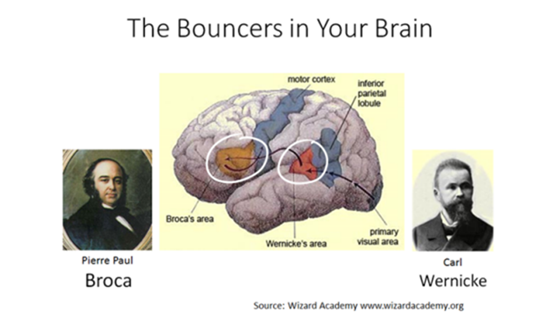
Pierre Paul Broca discovered the part of the brain just in front of your left ear that stores shortcuts for information. Most notably, the shortcut for the familiar and known is to ignore the input.
When Broca’s area gets stimulated by the unfamiliar, it reaches out to an are of the brain discovered by Carl Wernicke. This part of the brain associates what we see and hear with our memories to give meaning to them.
3. Resolution
Resolution is the moral of the story. It’s the destination in which conflict is put in perspective and we can rest knowing we have seen the end.
If the message is relevant – like a story – Wernicke’s area tells Broca to pay attention. The resolution cannot be predictable. It cannot be irrelevant.
The following video doesn’t tell a story in the way we think of stories. However, it includes the unexpected, a conflict and a resolution. It contains the basic arc of a story in a non-traditional way.
Unexpected + Relevant = Salient
Broca is clearly woken up at seeing sets of twins dressed identically, sitting in a large room with wires running out in front of them. Wernicke becomes interested when the conflict is setup.
Chewing gum may not have a social stigma attached to it after all. Really?
This video uses humor to drive to the resolution, in which we learn that 73% of surveyed preferred the gum chewers.
4. The Brand or Product is a Character in the Story
This is hard. How do you cast your product or brand in a role in your video? It isn’t enough to be the sponsor if you want the story to be associated with the business.
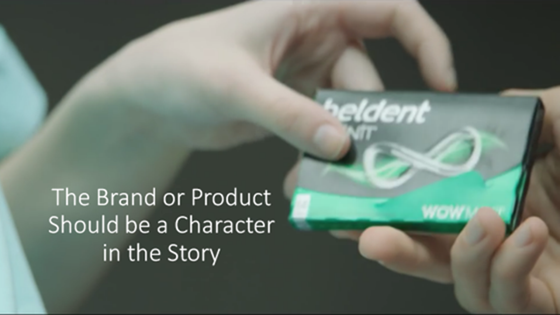
Beldent does this in it’s Almost Identical video above. The product makes a brief appearance, but it is a crucial one. The gum makes the test possible.
The product doesn’t always have to make an appearance, but needs a role. The Chrysler 300 has a supporting role in the following Vine, but it is the device that makes the conflict – and thus the resolution – possible.
Let the 300 HP of the Chrysler 300 do the talking w/ Kenzie Nimmo . #300Seconds
5. There is a Way To Continue Participation
A clear call to action and a way to continue participating is key to successful videos.
Here is a story video with all of the elements we’ve discussed.
The Unexpected occurs when Ken tells us that he paints on paper towels.
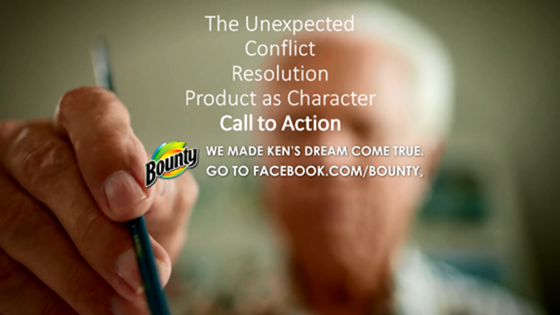
The Conflict is setup when Ken tells us that he doesn’t have much “runway” and is in competition with his famous father.
The Resolution is provided by the makers of Bounty when they setup an art showing in Chelsea.
Bounty clearly plays a role in this video as canvass for Ken’s work.
Finally, it is clear that the makers of Bounty wants us to continue sharing about this on Facebook. There is a hint that there might be more stories to explore.
I think the folks at Bounty produced a beautiful story, but it’s missing a final element.
6. Something to Cement the Story into Memory
Emotion, Humor, Twists, Anticipation: these are the things that will cement the story into memory.
Beldent used humor to cement it’s message.
Bounty tried to use sentimentality to bring the emotion.
iNature Skincare’s Comfortable video delivers on this level, with a twist, humor and the kind of optimism we can only learn from children.
What is Missing?
If the Comfortable video delivers on the emotional component, why was it not more successful for the sponsoring brand?
If any element is missing, a video may not deliver success to the brand or product.
In my opinion, the Comfortable video failed its sponsor by not including the brand as a character. In the story of the woman who struggled with acne and eczema (1:14), would an iNature product have been too obvious? Perhaps.
The other element missing is the call to action. iNature gets a thank you from the filmmaker, and their website is listed.
iNature Skincare didn’t have a strong call to action.
However, this link is not clickable. The call to action “Check them out here:” doesn’t tie back to the film. iNature is a sponsor, not a character in the play.
What are Your Favorite Video Stories
We all can relate to the journey from conflict to resolution. Tell us in the comments which videos you like that contain the six elements:
UX vs. CRO: Where Should You Spend Your Redesign Dollars?
Conversion Marketing StrategyYou’ve decided it’s time to undertake a website redesign. Should you focus on improving UX (user experience), or should CRO (conversion rate optimization) be your priority? Are they mutually exclusive? Is there a time when one is more important than the other?
Sarah Jabeen from DiscoverSTEAM tackles this issue with Brian the Conversion Scientist in a UX vs CRO (replay).
You’ve probably guessed that Brian has CRO in his corner; Sarah will be leading with UX.
Watch the discussion.
You’ll still walk away with valuable information you can incorporate into your site redesign including:
Watch the replay. I hope I have you in my corner.