Twenty to thirty percent of the organic traffic arriving at B2B websites has evaporated. Sahil Patel does not think it is coming back.
Sahil runs Spiralyze, one of the largest conversion optimization agencies in the business, with more than 170 people across sixteen countries. Conversion Sciences has stayed deliberately small for almost twenty years.
Two agencies that took opposite roads on nearly every decision a founder gets to make, which is what makes the conversation worth an hour.
The surprise is how much the two of them still agree on. What follows is what came out of it, starting with a number that belongs on the wall of every B2B marketing team.
Ask Sahil whether the SaaSpocalypse everyone predicts is real or mostly noise, and he goes straight to the traffic.
“I think the first layer of that palpable fear is that 20 to 30% of their organic traffic has evaporated,” he said. “And it’s probably not coming back.”
For every thousand people come to your website, let’s say roughly a hundred of them were ready to raise a hand. Some of those people wanted to talk to a sales rep. Some wanted to start a free trial. A large group in the middle wanted something in between, an interactive demo or a real look at how the product works, a hopeful request for a report.
Then only eight hundred people come to your site instead of a thousand. You are still converting roughly ten percent of them, so eighty people raise a hand instead of a hundred. Nothing about your website got worse. Your team did not get worse. The denominator shrank.
“Your cost structure hasn’t shrunk, your growth targets haven’t shrunk,” Sahil said. “If anything, they’ve gone up and your job has gotten harder.”
You are carrying the same payroll and the same overhead against twenty percent fewer opportunities, and you are being asked for more of them than last year. A marketing team that executes exactly as well as it did twelve months ago now posts a shortfall, and that shortfall arrives looking like a performance problem when it is actually an arithmetic problem.
Asking the barber if you need a haircut
Asking two CROs if CRO matters is like asking your barber if you need a haircut. “The answer’s always yes,” says Sahil.
Nonetheless, optimization matters more now than it did when traffic was cheap. There are fewer humans coming to the site, and each visitor has to carry more of the revenue.
On this point, there was agreement.
If human visitors are becoming scarce, then the cost of losing one to a confusing form, an unanswered objection, or a page that buries the value proposition rises in direct proportion to the scarcity.
That is not a sales pitch. It follows from the same arithmetic as the section above. Scarcity raises the value of the asset, and right now the asset is the visitor who is still showing up.
As Sahil put it, “human beings come to your website, you better do a damn good job of converting them once they get there, because they’re increasingly rare.”
Coin operated, or structurally better
The most useful idea in the whole hour is a test for where to invest your marketing dollar.
An ad campaign is coin operated. You put a coin in, something comes out, and the moment you stop feeding it the output stops. There is nothing wrong with that, and most businesses need it.
But it has diminishing returns and it never compounds. What is ending is the era when traffic in general behaved that way.
“I think for a long time in B2B, getting more people coming, we took it for granted,” Sahil said. “It was hard, it was expensive, but you could mint traffic. It was coin operated. You put a coin in Google AdWords and it works. Or you did SEO, whatever that means to you. It was kind of coin operated.”
That machine is getting more expensive and less reliable every quarter.
Optimization is a different kind of investment.
With CRO “you’re actually structurally improving your business,” he said. “You’re going to fundamentally convert traffic at a higher rate. That’s a great payoff. There’s just not that many things you can do that.”
Raise the rate at which visitors convert and every dollar of traffic bought from that day forward is worth more, including the traffic already being paid for. It does not switch off when the spending stops.
If you have never worked out, you will see real results from a twenty minute walk three times a week. If you have dabbled — some pushups, a little jogging — you have already seen a small benefit, and that small benefit is the dangerous part. It convinces you that you know where the ceiling is.
What you don’t know is, what if you really did the work. Do some pull-ups. Pay attention to your diet. Put in the cardio every morning. Add a little resistance training. How much better could you be? “I think that’s CRO.”
Most companies are in the dabbling phase. They ran some tests, saw a lift, and concluded that testing produces small lifts.
The advantage of CRO is that you can hire someone to do the work for you and get the full benefit.
We’ve seen a traffic crossover happen once already, and it was not gradual.
When we started testing, almost everything was desktop. We had a wide screen to work with and a decade of design conventions to draw on.
Then, at client after client, mobile traffic crossed the line, exceeding desktop traffic. That was a fundamental shift in how you design a web page. A shrunken version of a desktop page would no longer work. Plenty of teams did not believe it at the time, and if I am honest, I am not sure a majority of sites have fully made the shift even now.
The same thing is going to happen with agents. There will be a point where traffic from agents crosses traffic from people. For ecommerce sites doing a redesign in 2026 are going to have to redesign in 2027, because ten or twenty or twenty-five percent of the visitors will not be human.
Somebody is going to build the agent that is easy-to-use, reliable, and fun. This will be the Friendster-to-Facebook moment for this category.
Sahil is more skeptical. He is not sold on the version of the future where people research, read and buy entirely inside a chat tool.
“That’s where I would say there’s a, ‘we’ll see,'” he said. “People are very quick to say there’s not gonna be any more websites or it’s just gonna be agents talking to each other wherever agents go to hang out when we’re sleeping. Maybe, but I would [say] it’s too early to tell.”
Anyone old enough to remember the early internet and the early days of Amazon should be humble here. Nobody could have predicted in 1999 what Amazon would become.
The difference is the speed with which LLMs are changing the digital landscape. We had ten years to figure out what the internet was going to be, and twenty-five years for Amazon to become what it is. This time the runway looks more like “ten months.” That is exciting, and also a little nerve-racking.
It is the reason to build the muscle before you need it rather than after.
Why generated test ideas are so cheerful
Anyone running an optimization program is getting pitched by the same companies. They will generate twenty-five test hypotheses for your site and rank them for you.
In my experience, most of what comes back is not testable. The ideas start heuristically from whatever is on the page, and the majority are either things worth simply fixing without an experiment or things not worth the traffic at all.
Sahil’s diagnosis is that it is a data problem rather than a language model problem.
“Claude thinks every AB test is a winner,” he said. “It thinks every idea is a good idea, not just because it’s eternally optimistic, but because it’s largely been trained on the public data set.” His team went and looked at the case studies the model tends to reference. There are about 213 of them. Of those 213, 211 are winning tests.
Claude has “Winner’s Curse,” he said. “It only knows what’s winning. It’s only interviewed the World Series winners.”
That is the peer review problem wearing different clothes. Clinical trials that fail don’t get published, so the published literature systematically overstates what works. Anyone reading only the literature walks away with a distorted picture of the field.
Sahil’s wife is a scientist at the CDC.
He points out that the FDA rightly sets a high bar for what goes into a human body, and only medicine that works should get there. But the scientists themselves spend as much time studying what did not work as what did, and often more.
What you need in order to prioritize a testing roadmap is a distribution of outcomes, wins and losses together, at enough volume to see how often a pattern actually repeats.
Our industry publishes almost none of the losses.
There are periodic calls to share losing tests and Sahil notes they are few and far between. Neither agency in this conversation has a clean record on it. Losing tests get published when they make a point, and rarely otherwise.
What to ask any optimization vendor
Given all of this, what should a company ask of a CRO agency?
His standard comes from medicine. If someone hands you a cough medicine, you ask whether it has been tried, on whom, and how often it worked. We do that instinctively for things we put in our bodies, and we accept that some trials are well run and some are not. We do almost none of it for the things we put on our websites.
“It’s amazing how much is pseudoscience and anecdotes dressed up as best practice,” he said about websites.
So there are three questions to ask about any recommendation, template, or best practice you are handed.
How many times has this been tested.
How much traffic was tested against it.
How often does it win.
“Is it a repeatable outcome?” Sahil said. “Nothing works all the time. But I think that’s a very reasonable bar to ask someone, and if their answer is evasive, I think it may be a sign that they don’t have that, because it actually hasn’t been shown to be repeatable.”
Turn the question around: Ask what your agency is doing to make the process more efficient, and then ask whether they are going to let you see what your business is actually doing.
Analytics is how you walk around your website the way you would walk around a store, watching where people buy and how they are being handled at the counter. Can you get that at a granular level, on demand, without filing a request?
This is the one place where the language models have genuinely delivered. Analytics and reporting capability has gone through the roof in the last twelve months.
Clients hire an optimization team because they want more revenue from the traffic they already have. They stay because somebody is watching their back, helping them understand their visitors. They’re revealing language and offers from the landing page that they can take to their ads, their emails, and their social posts.
What did not change
Two things won’t change in this new era.
The first is that you measure what people do, not what they say. “There’s a difference between what people say they will do and what they will do,” Sahil said. “And AB testing measures the second thing.”
Conversion Sciences sees your website as a giant focus group made up of people who have already signaled that they are interested in what you do.
Put those same people in a room and ask which design they prefer and you will get confident, articulate, useless answers. We are all excellent rationalization engines. Watch what they actually do and you will learn much more, continuously, for free.
Video is a good example.
Where you place a video is important. Put a video on a conversion page and it competes with the primary call to action, which as Sahil put it creates an exit ramp at exactly the wrong moment. It gives the visitor something to do instead of filling out the form.
Put it on a solution page, where the visitor has already said they want to understand how the thing works, and it helps them take the next step.
Conversion Sciences testing adds one refinement. The title card is what moves the conversion rate. A better title card will not get more people to press play, but it will convert more of the people who see it.
The second thing that did not change is that unscalable work still pays. Sahil deliberately does a few things every month that make no economic sense at his size. “I like to go see customers in person,” he said. “It’s super expensive. I could talk to six of them in a day on Zoom versus flying somewhere and talking to one, but I still think it’s important to do it.”
That is the scarcity argument from earlier in this post, applied to people instead of pageviews. As agents absorb more of the routine contact in a customer relationship, showing up in person becomes rarer, and rarer means worth more.
A note on how this was made: a language model produced the first draft of this post from the episode transcript, and a human being edited it before publication. All quotes are verbatim from the recorded conversation.
Stop building GA4 reports. Conversational analytics lets digital marketers ask plain-English questions of their data and get answers. Free prompt kit inside.
Your Website Knows More About Your Prospects Than You Think
You just can’t hear it yet.
Every session, every channel, every dropped form, every product page that converts at 0.8% when it should be at 3%. It’s all in your analytics right now.
The problem isn’t the data. It’s how we’ve been accessing it.
Building reports takes time. And even when you do it, you get numbers. Not answers.
I’ve been doing CRO since 2007. We’ve built scorecards, dashboards, custom Google Sheets that pull from the API. We’re pretty sophisticated about this. But nothing has changed our analysis the way this has.
You can now have a plain-English conversation with your analytics data.
Ask it what’s wrong. Ask it what’s working. Ask it why that traffic channel dropped off in March. It will tell you.
Here’s how we do it, and how you can start.
Why Most AI Website Tools Get This Backwards
The AI tools pitching you right now have this backwards.
They look at your website and hand you a list of things to fix. I’ve tried a number of them. We haven’t adopted any.
Here’s why. They skip your data. They start with your pages, not your analytics. So what they give you is best practices dressed up as personalized recommendations.
That’s a problem.
A page that’s performing well is a dangerous page to change. There are more ways to hurt it than help it. If you’re testing ideas that aren’t grounded in your actual data, you’re guessing.
Conversational analytics starts where we start. With the data.
How to Connect AI to Your Google Analytics
There are two ways to connect a language model to Google Analytics.
The first is an MCP server. MCP stands for Model Context Protocol. It’s essentially an API that’s designed for AI to use. Once connected, your language model can query your analytics directly.
Google provides instructions for setting this up. Allocate about 45 minutes. It involves granting credentials and OAuth setup, which gets a little nervifying if you’re not a developer. My advice: paste Google’s guide into your AI and have it walk you through each step.
MeasureU has also published setup guides for Mac and Windows if you want more hand-holding.
The second option is EverOpt, and it’s what we use.
EverOpt connects via the Google APIs directly, which means fewer hallucinations. Most AI tools read a table and fill in the gaps with pattern matching. EverOpt generates JSON and SQL to pull the actual numbers. That’s a meaningful difference when you’re making decisions based on the output.
It also has memory, a daily or weekly briefing agent, and supports Tag Manager, PostHog, and Convert.com.
The Three Prompts That Get You Started
We’ve put together three prompts that get you started.
Here’s what each one does.
The first is the Business Health Audit.
Tell the AI to act as a CRO and business intelligence leader. Ask it to deliver a plain-language health report on your analytics. Tell it not to change anything yet.
It will figure out what kind of business you are just from the data. Then it will tell you which traffic channels are performing, which aren’t, and drill down to the specific campaigns or products causing problems.
The output is a rich report. Read it in full. Or paste it into your ongoing business AI and let it start building strategy from there.
The second prompt is Sellable Traffic.
Not all of your visitors are trying to buy anything.
Bots, AI scrapers, blog readers, existing customers logging in, internal employees — they inflate your session count and suppress your conversion rate. This prompt identifies and removes them so you’re working with numbers that actually mean something.
In one example, removing invalid traffic moved a site’s conversion rate from 3.2% to 3.6%. Without changing a single page.
Once the AI identifies what to exclude, tell it to remember those exclusions for all future analyses. In EverOpt, it saves that to memory and applies the filter automatically.
The third prompt is the Weekly Brief.
Most digital marketers don’t check their analytics every week. This prompt fixes that without requiring you to go anywhere.
Set it to compare 90-day trends against the last 7 days. Ask it to flag traffic channel changes, conversion rate shifts, form abandonment rates, and 404 errors. In EverOpt, paste the prompt into the briefing feature, set your cadence, and it emails you the report.
One of our client briefs flagged a spike in SMS conversions we never would have caught manually. Now we know what drove it, and we can do more of it.
What to Ask Once You’re Connected
Once you’re connected, the questions you can ask are limited only by what’s in your data.
Build funnels. Graph trends. Diagnose why a channel underperformed last month. Examine any A/B tests running on the site.
You can even ask why a variation won or lost. Paste in screenshots of both and the AI will help you build hypotheses. That “why” question has always been the hard one. It still is. But now you have a place to start.
Tell it to interview you about your business. The more context it has, the sharper the analysis gets.
Go Have a Conversation With Your Data
I was a little reluctant to put this together.
This has become a real competitive advantage for us at Conversion Sciences. Being able to walk into a client conversation with an inventory plan or a traffic diagnosis that most agencies don’t even think to produce. That changes the conversation.
But we’ve decided to give away the good stuff.
You’ve got the setup. You’ve got the prompts.
Go have a conversation with your data.
Get the free prompt kit at conversion.science/ad+lp.
There is a fundamental disconnect in our organizations that is showing up in our ad campaigns.
One team creates and manages the ads, Meta ads, Google ads, Bing ads. The landing pages from which the ad team chooses were created by another team, the web team.
The ad team has one priority: increase traffic and demand that generates revenue. The web team has a number of goals, most of which involve publishing pages.
These goals are not aligned.
How bad can things get?
We pulled the ad portfolios of dozens of brands and compared them to the landing pages that serve those ads link. We were surprised that so many brands had serious alignment issues:
Ads linking to the home page
Ads linking to pages without calls to action
Landing pages that served dozens of different ads
Here are some of the things I cover in my presentation, which you can watch on YouTube.
Why does ad spend keep rising while conversion rate stays flat?
Because the ad makes a promise (an offer, a headline, a specific claim) that the landing page doesn’t keep, so no amount of extra spend fixes a ceiling caused by the page itself.
What is the Ad Alignment Report?
An AI-generated audit that pulls a client’s full ad portfolio, matches every ad to the landing page it points to, and flags where the offer, headline, or design don’t line up.
What does a 4.7-to-1 ad-to-landing-page ratio actually mean for a business?
It means nearly five different ads, each with a different promise — different offers, headlines, calls to action — are all dumping traffic onto the same page. It’s difficult to create a single landing page that can support so many ads and still have a high conversion rate.
The larger the ad-to-landing-page ratio, the more likely your ad spend is being wasted on misalignment.
Why do so many ads land on the homepage instead of a dedicated page?
Because building and maintaining a landing page for every ad is more work than most teams can keep up with. When the website has no good alternatives, the homepage is chosen by the ad team.
Unfortunately, the homepage isn’t designed to convert ad traffic. It serves many kinds of visitors and can’t speak to any single ad’s specific promise.
What are “The Ten Alignments”?
The ten factors a landing page should match from its ad:
the offer
headline
call to action
trust and proof
product or service
These are the five that matter most.
Add to these:
image
brand
tone
URL
color
These add extra connections for those who click on the ads.
Does every alignment factor matter equally?
The first five (offer, headline, CTA, trust/proof, product) carry most of the weight. Get those wrong and the visitor’s trust breaks before the smaller details even register.
Why do social ads and search ads need different alignment strategies?
Because social ads interrupt someone who wasn’t looking for you, while search ads meet intent someone already had. The landing page has to pick up the conversation differently in each case.
What happens when an ad’s specific offer never appears on the landing page?
The visitor who clicked specifically for that offer, like AVE’s “4 Months Free,” arrives to find no trace of it and has no reason to trust the rest of the page.
Why does a headline mismatch hurt more than it seems like it should?
It removes the visitor’s confirmation that they landed in the right place, so instead of reading on, they’re left wondering if they clicked the wrong link.
Why does tone matter as much as offer or headline?
Because a warm, personal ad voice followed by a clinical form-heavy page creates a jarring shift at the exact moment trust needs reinforcing, and visitors disengage from that whiplash.
Can this alignment work actually be automated?
Yes. AI trained on landing page best practices can generate a matching page for each ad’s specific offer, headline, and tone, which is what the AVE and Careforth “Safe at Home” rebuilds demonstrate.
What do you do once a landing page is already well aligned?
Test a differentiators band (trust signals placed above the fold) or a Good-Better-Best pricing ladder that anchors value with a high first price, both shown on Uline’s pages.
How should a business manage alignment across dozens or hundreds of landing pages?
Either use personalization and A/B testing tools to adjust the page per visit for smaller portfolios, or generate aligned pages with AI and route ad traffic automatically for larger ones.
Why does this matter more now than it used to?
Because Google’s AI and Performance Max now factor landing page quality into ad delivery itself, so a weak page doesn’t just lose conversions anymore, it quietly drags down the ads pointing to it too.
Frequently Asked Questions
What is ad-to-landing-page alignment?
Ad-to-landing-page alignment is how closely a landing page matches the offer, headline, and promise made in the ad that sent the visitor there. When the ad and the page tell different stories, visitors lose the sense that they landed in the right place and leave before converting.
Why do my ads convert but my landing page doesn’t?
Usually because the landing page doesn’t keep the specific promise the ad made. A generic homepage or product grid can’t speak to five different ad offers at once, so most visitors arrive expecting something the page never delivers.
What is message match in PPC advertising?
Message match is the practice of echoing an ad’s exact headline, offer, and value proposition on the landing page it links to. It’s one of the core inputs Google uses to score landing page experience, which directly affects Quality Score and cost per click.
Why doesn’t my ad’s offer show up on my landing page?
This usually happens when ad copy and landing page copy are created separately, often by different teams. Without a shared alignment check across the ad portfolio, an offer like “4 months free” can vanish entirely by the time a visitor lands.
What are the most important elements to align between an ad and a landing page?
The five highest-impact factors are the offer, the headline, the call to action, trust and proof, and the product or service featured. Together these carry most of the alignment score. Image, brand, tone, URL, and color refine it further.
Should every ad have its own landing page?
Not necessarily one-to-one, but a portfolio where dozens of ads all route to a single homepage is a strong signal of misalignment. A useful benchmark is your ad-to-landing-page ratio. Anything close to 5:1 usually means most ads are landing somewhere generic.
How does landing page alignment affect Google Ads Quality Score?
Landing page experience is one of three components of Quality Score, alongside expected click-through rate and ad relevance. A page that doesn’t match its ad’s message can raise cost per click even when the ad itself performs well.
Can AI generate landing pages that automatically match each ad?
Yes. AI trained on landing page best practices can generate a page variant for each ad’s specific offer, headline, and tone, then route that ad’s traffic to its matching page automatically. This is especially useful for portfolios too large to manage by hand.
AI can write website copy that outperforms 80% of what is online today.
You just have to teach it who it is writing for.
In this episode of Intended Consequences, Conversion Sciences founder Brian Massey shows you how to use AI to generate website copy that actually converts.
The secret is not a better prompt.
It is writing for the four ways people make buying decisions.
You will learn the Modes of Research framework, first published in “Waiting for Your Cat to Bark,” and how to map it onto Myers-Briggs types so any language model speaks your language.
Then you will watch live rewrites that turn flat, jargon-filled copy into messaging built for Competitive, Methodical, Spontaneous, and Humanist visitors.
By the end you can build your own AI messaging agent in ChatGPT, Claude, or Gemini and let it do the rewriting for you.
WHAT YOU WILL LEARN
Why most B2B copy sounds the same and caps your conversion rate
The four research modes and the buyer behind each one
How to use Myers-Briggs as a shared vocabulary with any AI
The simple prompt that teaches your chatbot to rewrite by mode
How to generate personas straight from a URL
How to A/B test copy that is finally different enough to win
How to build a reusable AI messaging agent for your brand
CHAPTERS
00:00 Why AI copy beats 80% of website copy 01:30 Styrofoam copy and the conversion ceiling 02:40 How our own biases sabotage copywriting 04:10 ICPs and the four-persona problem 05:40 Corner cases: copy big enough to A/B test 06:00 The 4 Modes of Research framework 06:50 Competitive and Methodical buyers 08:00 Spontaneous and Humanist buyers 09:30 Placing copy on the page by buyer mode 10:30 Why language models beat humans at this 11:20 Myers-Briggs as a shared language with AI 14:00 The simple prompt to train your chatbot 15:00 Generating personas from a URL (Calm.com) 17:40 Rewriting copy for each mode, live 24:00 B2B example: HR services, CHRO vs CFO 29:50 Laying out multiple voices on one page 31:00 Q&A: getting your team to trust AI copy 33:20 Building your own AI messaging agent 38:00 What is next: ad and landing page alignment 38:50 Q&A: CTAs, ad frequency, and brand salience
In a recent conversation, Brian Massey and Andy Crestodina explored the shifting landscape of digital marketing as Artificial Intelligence (AI) becomes the “third partner” in the relationship between brands and customers. This shift is fundamentally changing the purpose of a website—from a destination for human eyes to a critical knowledge source for AI training.
As AI models like ChatGPT and Gemini increasingly act as “sales reps” or agents for your brand, the strategy for building and maintaining a digital presence must evolve. Here is the breakdown of how to adapt your website for this new era.
The New Role of Your Website
For decades, websites were built for search engines (SEO) and humans (CRO). Today, a third audience has emerged: AI LLMs (Large Language Models).
AI as a Sales Rep: AI helps users decide if a brand is a good option by ingesting data from across the web.
Knowledge Sources: Your website is your best chance to tell your full story—who you serve, how well you do it, and your specific credentials—because it is the only digital property where you have unlimited space to provide data to AI knowledge sources.
The Conversion Trap: While AI traffic may be a small percentage of total visitors today, these users often arrive “further down the funnel” because they have already had long conversations with the AI about their specific goals and context.
Actionable Steps: How to Optimize for AI and Humans
To remain competitive, marketers must “plug holes” in the data AI currently has about their brands.
1. Prioritize Extreme Clarity and Detail
If you were making a page specifically for an AI bot, you would prioritize maximum information over user experience (UX). While you shouldn’t puke “sitemap.xml” onto your homepage, you should ensure your sales and service pages are packed with specific data.
List Proof Points as Text: Don’t rely solely on images or trust seals. AI crawlers may not “see” the pixels of an award badge, so you should list these credentials as text to ensure they are ingested into the training data.
Define Your “Who” and “How”: Clearly state who you do work for, what the outcomes are, and the credentials of those doing the work.
2. Ditch the Generic Assets
AI learns nothing from generic marketing fluff.
Kill the Stock Photos: Brian Massey has long argued against stock photos, but now there is a “moral high ground”: happy people laughing at a laptop tells AI nothing about your brand’s unique value.
Stop Trying to Please Everyone: The mistake many marketers make is being too broad. Use your content to disqualify the wrong prospects and better qualify the right ones.
3. Shift Your SEO Strategy
The “crash in click-through rates” for top-of-funnel informational queries means that optimizing articles for generic keywords is less sustainable.
Focus on Commercial Intent: Double down on optimizing sales and service pages for traditional search and AI, where visitors still have “visit website intent”.
Write for Humans (and Personality): AI can recognize brand personality and humor. Don’t “ring out the cleverness” of your writing; instead, let your brand’s unique voice act as a “culture fit” for potential clients.
4. Feed the AI Beyond Your Website
AI training data isn’t just pulled from your domain; it’s pulled from everywhere.
The “Podcast Pitch”: Because Google (which owns YouTube) has access to video transcripts, any podcast or video appearance is a training opportunity. Always give your clear “pitch” during recorded interviews to ensure that language is ingested and associated with your brand.
Utilize Other Channels: Since Google is less likely to promote your informational articles today, focus on email, social media, and platforms like LinkedIn or YouTube to reach your audience and train AI models simultaneously.
Finding the “Weakest Link”
Ultimately, marketing should still start from the bottom up. Before worrying about ranking for a new informational keyword, Andy Crestodina recommends looking at the end of the conversion chain.
Optimize CTAs: Higher click-through rates on calls to action offer immediate value.
Fix Contact Forms: Use data to find and eliminate friction in your final contact steps.
The digital landscape is moving toward a hybrid model where AI handles the “deep research” and humans make the final connection based on trust and brand experience. By treating your website as a rich data source for AI today, you ensure you are the brand recommended tomorrow.
Taking a cue from Andy’s own suggestion during the interview to “give it to a tool that synthesizes or summarizes it for us,” this blog post was generated by a Large Language Model (LLM) using the full transcript of the conversation between Brian Massey and Andy Crestodina.
Checklist: AI-Friendly Website Elements
Use this checklist to ensure your “AI sales reps” have the best information to recommend your brand.
1. Essential Brand Data (The “Who, How, and Why”)
Detailed “Who We Serve”: Explicitly list your target industries and customer types in plain text.
Specific Outcomes: Describe the exact results you achieve (e.g., “reduced churn by 20%”) rather than using generic marketing fluff.
Credentials as Text: Don’t just show award logos; list awards, certifications, and years of experience as crawlable text.
Author Bios: Include detailed bios for your team with links to LinkedIn or other publications to establish authority.
2. Conversational & Structural Clarity
Direct Answers Top-of-Page: Place the main answer to a query within the first 50–60 words of a section.
Extreme Clarity: Abandon “clever” copywriting in favor of high-detail language that defines concepts clearly.
TL;DR / Key Takeaway Blocks: Add short summaries at the top or bottom of long sections to make them easy for AI to synthesize.
FAQ Sections: Use real customer questions as headings to capture long-tail AI queries.
3. Technical “Machine-Readable” Elements
Logical Heading Hierarchy: Use only one H1 per page, followed by properly nested H2 and H3 tags.
Emotions drive conversions — and in this episode of Intended Consequences, Brian Massey sits down with Joe Putnam, founder of Conversion Engine, to explore how top-performing ecommerce brands are using AI CRO strategies to scale faster, test better, and connect more deeply with their customers.
You’ll hear how Joe’s team analyzes customer reviews at scale to uncover emotional triggers, how they test ad angles that competitors often miss, and why a “boots that hurt” campaign might not be the golden angle you think it is.
Why Emotions Still Win in Marketing (Even for Practical Products)
“People buy with emotion and justify with logic,” Joe explains — and it’s not just for luxury brands like BMW.
From cowboy boots to baby products, emotional triggers like trust, belonging, pride, and joy show up in customer language all the time. Even in seemingly utilitarian products like closet storage or bathroom scales, people make decisions based on how they feel about the product, not just what it does.
The key is knowing which emotional buttons to push, and that’s where AI CRO strategies come into play.
Finding Emotional Patterns
Sentiment analysis is the process of identifying the emotions behind the words people use — especially in product reviews, support tickets, and social comments.
Traditionally, marketers had to manually scan hundreds of reviews to pick up on these emotional patterns. Today, Joe’s team uses ChatGPT and other AI tools to streamline this process:
“We copy and paste hundreds of reviews into ChatGPT and ask it to do an emotional sentiment analysis,” Joe says. “What problems are being solved? What are people feeling? What language are they using?”
AI CRO strategies like this quickly surface pain points, unique selling propositions, and emotional value statements that can power ad copy, email campaigns, and landing pages.
Building an Emotional Connection
Once the team has pulled emotional themes from the reviews, they organize them into distinct messaging angles — each one reflecting a different emotional trigger. These angles might include:
Trust & security: “I know these will last. Worth every penny.”
Belonging: “I feel like I’m part of a community.”
Confidence: “I walk taller when I wear these boots.”
Joy & reward: “I bought these for myself as a gift. It felt amazing.”
Instead of just running ads that say, “Tired of boots that hurt?” over and over, Joe’s team builds multiple ads targeting different emotional angles. Then, they let the data reveal which message resonates most with the brand’s audience.
Takeaway: You’re probably underutilizing your customer reviews. With the right prompt, AI can uncover 3–5 powerful emotional angles you may have never tested.
Does AI-led Sentiment Analysis Work for All Products?
Yes, even for “boring” or utilitarian products. Joe explains:
“Whether you’re selling cowboy boots or closet storage, you’re always trying to tap into emotion. It might be fear, trust, anxiety, or satisfaction. But emotion is there. And when you find the right one, your results improve.”
Some products might lean into pride or aspiration. Others might connect through relief or peace of mind. In every case, the emotional experience is as important as the feature set.
Why AI Doesn’t Replace the Marketer
Let’s be clear: AI isn’t doing the job for you — it’s helping you do your job better.
Joe emphasizes that AI CRO strategies are a shortcut to better ideas, not a replacement for judgment:
“You still need human intelligence to decide which angles are worth testing, which copy resonates, and which ideas are off-brand. AI gives us more clay to mold — but we still have to be the sculptor.”
AI may generate seven ad angles. But maybe only two of them are good. With a trained marketing team, you can spot the winners, test them faster, and scale what works.
The best ads in the world can fail if the landing page doesn’t match the emotional promise.
One mistake Joe often sees: sending all ad traffic to the same product listing or category page, regardless of the ad’s message.
Instead, he recommends:
Creating custom landing pages for different ad angles.
Reinforcing the same emotional message from ad to landing page.
Using customer language throughout the copy and CTA.
“If the ad is about personal pride or reward, make sure the landing page reflects that. That emotional consistency is what drives higher conversions.”
Mistakes to Avoid with AI and CRO
While AI can be powerful, it’s not infallible. Joe warns of a few key pitfalls:
❌ Mistake 1: Believing Every Insight is Gold
Not every insight generated by AI deserves to be tested. Use your experience and brand knowledge to filter the noise.
❌ Mistake 2: Ignoring the Landing Page
Even strong ads will underperform if the landing page doesn’t deliver on the emotional promise of the creative.
❌ Mistake 3: Over-engineering Prompts
You don’t need “prompt engineering” skills to make this work. Start simple:
“Conduct emotional sentiment analysis on these reviews.”
Let the AI do the heavy lifting — then dig deeper based on what it returns.
Quickstart Guide: How to Use AI in Your Ecommerce Ad Strategy
If you want to try this for your brand, here’s a simple way to get started:
Collect Reviews – Grab 100–200 reviews from your product pages or Amazon listings.
Drop into ChatGPT (or your AI of choice) – Use a prompt like, “Analyze these for emotional sentiment. What feelings are customers expressing? What problems are they solving? What language repeats?”
Extract Emotional Angles – Look for clusters: trust, pride, satisfaction, relief, identity, etc.
Translate into Messaging Pillars – Create 3–5 core messaging angles that represent your product’s emotional impact.
Test in Ads and Landing Pages – Build multiple creatives — each aligned with a different pillar — and track which one drives the most engagement and conversions.
Final Thoughts: Emotions Scale. AI Speeds It Up.
The secret to ecommerce success isn’t just in your product specs. It’s in the emotional response you trigger. And now, thanks to AI, you can discover those responses faster than ever.
As Joe Putnam puts it:
“AI doesn’t give you the final product. But it gets you 80% of the way there — and helps you uncover ideas you wouldn’t find on your own.”
In this episode of Intended Consequences, Brian Massey sits down with Deborah O’Malley, founder of GuessTheTest.com, to explore the fast-changing world of AI in experimentation — from A/B testing myths to the ways AI is already changing how digital marketers approach conversion optimization.
And yes, they really do debate whether AI will kill our creativity.
Deborah pulls no punches: “People are still testing button colors and headlines when they should be testing concepts.”
That’s one of the many interesting misconceptions about experimentation. But as she explains, the most valuable insights come from big, bold tests — especially ones that challenge your brand’s assumptions. And with the arrival of generative AI, we now have the ability to scale those tests like never before.
How AI in Experimentation Is Changing the Game
AI isn’t just writing headlines — it’s redesigning the entire optimization process. Deborah and Brian explore a few critical shifts:
1. Faster Hypothesis Generation
AI can instantly produce dozens of test ideas based on your existing content, analytics, or competitor sites. This helps marketers and CRO pros move from analysis paralysis to active testing — fast.
“You can use AI to brainstorm variations you’d never think of on your own,” Deborah explains. “That means more creative testing… not less.”
2. Pattern Recognition at Scale
While most human optimizers rely on gut instinct or anecdotal evidence, AI can spot trends in user behavior across massive datasets. That means smarter test prioritization, better personalization, and tighter feedback loops.
3. Test Ideas From Outside Your Echo Chamber
AI doesn’t share your brand biases — and that’s a good thing. By using tools like ChatGPT to simulate how different personas react to your copy or design, you can explore radically new angles without waiting for an actual test to finish.
From “Interesting” to “Impactful”
One of Deborah’s boldest claims: We should stop chasing ‘interesting’ test results.
Why? Because what’s interesting isn’t always what moves the needle.
“You want tests that are valid, repeatable, and drive real business results. That’s where AI can help — it brings a level of objectivity and scale that humans alone can’t match.”
In other words, AI in experimentation isn’t replacing us — it’s upgrading us.
Want to Test Better? Start Here.
Whether you’re a CRO veteran or just getting started with testing, this episode is packed with practical insights:
✅ Which A/B tests are still worth running ✅ How to think beyond copy tweaks and start testing experiences ✅ Why generative AI might be your best brainstorming partner ✅ And how to avoid common pitfalls that make test results meaningless
And don’t worry — it’s not all tech talk. Deborah and Brian also cover the human side of experimentation, from internal politics to the fear of failure.
Final Thoughts: Embrace AI in Your Testing Workflow
This episode challenges us to move past the superficial and start building testing programs that matter. Whether you’re optimizing landing pages, ecommerce funnels, or entire customer journeys, AI in experimentation is the lever that can help you scale faster and learn deeper — without sacrificing creativity.
“When used well, AI becomes the co-pilot of every test you run,” Brian says. “It accelerates creativity, supports analysis, and helps you ask better questions — the real key to CRO.”
Here are the 20 top CRO-worthy AB testing software you must consider to help you increase your conversion rates in 2024.
There are a ton of AB testing tools on the market right now, and that number is only going to increase. When evaluating these tools for use in your own business, it can be difficult to wade through the marketing rhetoric and identify exactly which tools are a good fit. That’s why we reached out to our network of CRO specialists in order to bring you a comprehensive look at the best AB testing tools on the market.
Our goal here isn’t necessarily to give you a complete review of each tool, but rather, to show you which split testing tools are preferred by full-time CRO experts — people whose businesses depend completely on the results they are able to deliver to their clients.
Before you go all-in on the fanciest AB testing tool on the market (bonus points if the vendor’s sales deck has more animations than your last holiday party), you’ll want to take a close look at the specific features that will actually move the needle for your team. Here’s what our CRO experts repeatedly told us matters most—whether you’re optimizing landing pages, mobile apps, or the entire customer journey.
1. Visual Editor
A user-friendly visual editor can be a lifesaver, especially if you want to test page variations without calling in your developer cavalry every time you tweak a headline. Look for platforms that offer intuitive drag-and-drop or WYSIWYG interfaces, making it easy for non-technical folks to create, preview, and launch tests.
2. Feature Flags & Server-Side Testing
If your experiments need to go deeper than basic page changes—or you want to avoid “flash of original content” issues—feature flags and server-side support become essential. These allow you to roll out backend changes, experiment with features, and personalize user experiences seamlessly, even on mobile apps.
3. Mobile Testing Capabilities
With so much web traffic coming from smartphones and tablets, robust mobile testing is a must. The best tools let you launch experiments across devices—desktop, tablet, mobile web, and native apps—without losing sleep over compatibility headaches.
4. Analytics & Reporting
Don’t get caught flying blind. Look for tools with real-time analytics, clear test performance dashboards, and granular reporting. Being able to dig into audience segments, conversion events, and behavioral patterns will help you turn “we think this won” into “we know why this won.”
5. Feedback Mechanisms
Data is great—feedback is gold. Many CRO specialists recommend platforms that support in-context surveys, polls, or feedback widgets. This allows you to capture not just what users are doing, but why they’re doing it (or abandoning your cart at the last step).
6. Ease of Use (and Integration)
Finally, take stock of how steep the learning curve really is. Can your marketers and product managers pick it up quickly? Does it play nicely with analytics suites like Google Analytics, Mixpanel, or e-commerce platforms you already use? Integration headaches are a surefire way to kill CRO momentum.
By prioritizing these features, you’ll be able to narrow your shortlist, avoid shiny object syndrome, and select a tool that empowers your team—without getting bogged down in unnecessary bells and whistles.
How Different Tools Advance Hypothesis Generation and Validation
When it comes to A/B testing, having the right toolkit at your disposal can make all the difference between guesswork and confident decision-making. Tools designed for behavioral analytics—think heatmaps, session recordings, scroll tracking, and in-page feedback widgets—bridge the vital gap between “what happened” on your site and “why.”
Instead of just using these platforms to confirm your test results, many leading CROs rely on them earlier in the process to formulate better test hypotheses. Here’s why these tools matter:
Hypothesis Generation: Tools like Hotjar, Crazy Egg, and FullStory capture granular data on where users are clicking, how far they scroll, and where they abandon your funnel. Watching real user journeys can highlight unexpected friction points, reveal which elements go unnoticed, or spark ideas for creative test variations.
Hypothesis Validation: Once you’ve designed a test, these same tools offer a deeper layer of evidence to show why a winning (or losing) experience works the way it does. Rather than relying on conversion numbers alone, behavioral insights help explain the story behind the stats—so you’re not left guessing.
For those newer to experimentation, leveraging these insights early on helps eliminate blind spots by highlighting patterns you might otherwise miss. More seasoned teams, on the other hand, find that combining rigorous data collection with behavioral analysis sharpens their focus, ensuring every test counts.
At the end of the day, the “right” tool is going to vary depending on the business. As Paul Rouke, former Founder and Director of Customer-Centricity at CX agency PRWD, explains:
We see it time and time again: companies sign up to multi-year contracts for feature rich, enterprise level tools which have a fantastic looking client list, and it ends up burning through their entire CRO budget. Companies invest without considering the need for resource and skills, or they are simply sold on the tool’s ‘ease of use’.
Many companies don’t have the internal skills in place yet to actually utilize this tool, and so the all-singing, all-dancing tool hardly gets used. Also, people using the tool don’t understand the need for or cost of customer research, data, psychology, design, UX principles, etc., meaning they’re ultimately testing the wrong things.
The tools that in my experience deliver the most long-term value are those which are reasonably priced, allowing companies to spend more of their budget on making sure they are testing intelligently and developing an effective testing process.
Best Practices for Writing Clear AB Test Hypotheses
When it comes to AB testing, clarity in your hypotheses is essential. Vague or overly complex tests—where you’re attempting to swap multiple elements at once—tend to muddy your results and make it nearly impossible to pinpoint what actually influenced a user’s behavior. The solution? Focused, testable statements that guide your experimentation.
Here’s how to craft solid AB test hypotheses:
Isolate One Variable at a Time: Resist the urge to bundle several changes into one test. For example, don’t change headlines, button colors, and layout in a single experiment. Test one element at a time to attribute results with confidence.
Write it Out, Explicitly: Before touching any code, put your hypothesis in writing as a clear, single sentence. For instance: “We believe that changing the CTA button from gray to green will reduce friction and increase signups.”
Ground Your Reasoning in Data: Use observational data or research to justify your hypothesis, whether it’s from analytics, heatmaps, or user feedback. This ensures your test isn’t just a shot in the dark.
Define Success Upfront: Attach a measurable metric to your hypothesis (e.g., clicks, conversions, form submissions) so you know what winning looks like.
Keep it Actionable: A strong hypothesis should suggest a specific action—if the test proves successful, the change should be easy to implement permanently.
By developing clear and concise hypotheses, you’ll be able to iterate intelligently, learn faster, and ultimately drive more meaningful improvements for your business.
No tool on this list will be the right fit for every business. That said, without breaking up our list into tiers, we would like to note 4 tools that came up very consistently from the experts we queried.
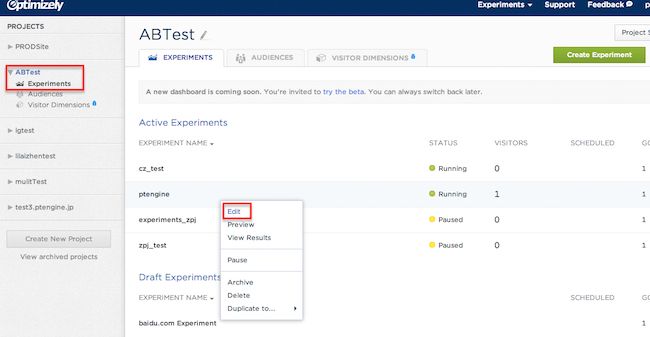
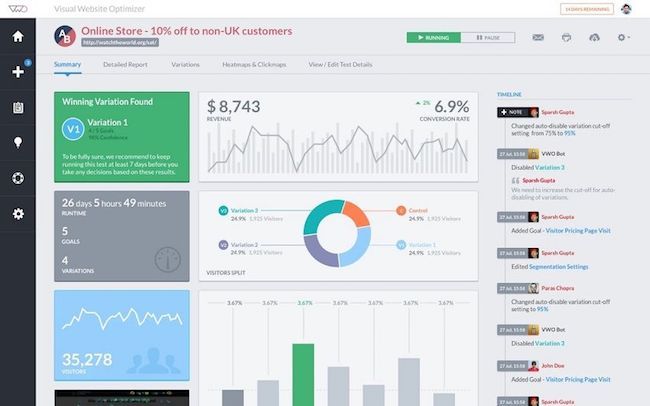
The two most popular AB testing tools by a wide margin were Optimizely and VWO. These are the most common AB testing tools used by Conversion Sciences clients, and virtually every single expert we chatted with is using both of these tools on a regular basis.
Another two tools that came up on our original poll (in about a third of responses), were Convert Experiences and UsabilityHub. Both of these tools received consistently strong reviews from the experts who used them and fill key needs in the CRO space, which we’ll discuss in their respective entries.
Quick Wins vs. In-Depth AB Testing: Choosing the Right Tool
When it comes to selecting an AB testing tool, your choice often depends on whether you need fast, actionable results or a platform robust enough for comprehensive, data-driven experimentation.
Tools for Quick Wins
If your goal is to implement rapid changes and validate ideas without a steep learning curve, look for tools designed with simplicity and speed in mind. These platforms typically offer:
Intuitive interfaces that allow marketers, designers, and product teams to launch tests quickly—no coding required.
Templates and visual editors for fast setup of variants.
Real-time reporting that highlights the best-performing versions so you can act immediately.
These tools shine when you want to test headlines, call-to-action buttons, or landing page layouts to earn rapid conversion lifts.
Tools for In-Depth Experimentation
For more complex testing—like multi-page funnels, dynamic content, and intricate audience segmentation—you’ll want a testing suite built for robust experimentation. These tools generally provide:
Advanced targeting options for detailed audience segmentation.
Support for multivariate tests and sophisticated experiment designs.
Deep integrations with analytics platforms for comprehensive analysis.
Developer-friendly features for teams with the resources to maximize flexibility and customizations.
These platforms are ideal for organizations with the capability to invest time and resources into iterative testing, customized user journeys, and data-rich optimization processes.
How to Decide?
Ultimately, the best AB testing tool for you will depend on your goals, resources, and team structure:
Looking for quick wins? Pick a straightforward tool that lets you launch and analyze experiments in minutes.
Need to dig deeper? Choose a platform with advanced capabilities that supports nuanced hypotheses and granular reporting.
This approach ensures you won’t get lost in unnecessary features—or outgrow your tool as your experimentation program matures.
Collaboration Tips for Product, Growth, and UX Teams
When it comes to running effective AB tests, getting your product, growth, and UX teams on the same page is crucial. The best results happen when each team brings its expertise to the table without stepping on each other’s toes—or duplicating efforts.
Here’s how high-performing teams typically collaborate on AB testing:
Unified Analytics: Ensure everyone is plugged into the same analytics platform (like Google Analytics or Amplitude) so insights are accessible across teams. This creates a single source of truth and cuts down on conflicting interpretations.
Clear Experimentation Workflow: Establish a workflow where ideas for AB tests are openly shared and prioritized together—think regular experiment review meetings or a shared backlog in tools like Jira or Trello.
Defined Roles: Assign clear responsibilities. For example, product teams might own test design, growth handles hypothesis generation and scaling, and UX ensures the experience stays user-centric.
Transparent Documentation: Keep test plans, results, and learnings documented and accessible—Google Sheets is a favorite around here—so no one’s left in the dark as tests progress.
Integrated Tools: Choose AB testing software (like Optimizely or VWO) that allows multiple team members to collaborate, comment, and review tests before launch.
The key is to make experimentation a team sport. When everyone’s aligned and data is easily shared, AB testing becomes a powerful tool for growth, rather than a battleground for resources and credit.
Several experts also pointed to the value of open-source experimentation and feature flagging platforms—especially for startups or engineering-heavy businesses who prioritize data privacy and internal control.
Here are a few reasons these tools are making waves among CRO professionals:
Full Ownership and Privacy: You host everything yourself, from experiments to data storage, so sensitive business information and test metrics never leave your hands. This is a huge plus for any organization with strict compliance needs or a zero-tolerance policy on vendor lock-in.
Customization and Flexibility: Open-source systems aren’t set in stone. Whether your team needs to integrate with an existing data warehouse like BigQuery or Snowflake, or run experiments directly from familiar BI tools, you’re not stuck with out-of-the-box limitations. Many of these tools also support a range of SDKs (from Node.js and React to Python and PHP), making adoption seamless for most development stacks.
Dev and Marketer Collaboration: Unlike tools that feel like they’re built for either developers or marketers—but rarely both—open-source options often provide both powerful, code-level feature toggling and accessible, UI-based dashboards. This makes it practical to run server-side and client-side tests, track results visually, and keep experimentation closely tied to business goals.
Cost Effective and Transparent: With no licensing fees and a transparent codebase, startups can iterate rapidly without worrying about hidden costs or black-box algorithms. And, as your team grows more sophisticated, you maintain the ability to tweak, extend, or completely redesign your testing infrastructure according to your own roadmap.
If your company values privacy, wants end-to-end control over experimentation, and isn’t afraid to get a little technical, open-source solutions present a compelling alternative to traditional commercial platforms.
Why Developer-Led Teams Gravitate Toward Open-Source, Self-Hosted Experimentation Platforms
For developer-led teams, the allure of open-source, self-hosted experimentation platforms is strong—and for good reason. These teams often need significant flexibility, the kind that allows them to tailor their experimentation processes and analytics tools exactly to the needs of their product and workflow.
Here’s what stands out about these platforms:
Complete Customization: With a self-hosted, open-source solution, your development team controls every lever. This means they can shape everything—from how tests are managed to how results are reported—without restriction. If your team wants to integrate feature flags with custom analytics or build unique dashboards, nothing’s off-limits.
Data Privacy and Compliance: For organizations in regulated industries—finance, healthcare, SaaS, you name it—keeping user data in-house is critical. Self-hosted solutions ensure that sensitive information never leaves your infrastructure, helping you meet strict compliance requirements with confidence.
Unified Tooling for Fast Iteration: Product and growth teams working hand-in-hand with development often want a single tool for experiments, analytics, and feature rollouts. This keeps everything in one place, reducing context switching and speeding up deployment cycles.
Ownership and Transparency: Open-source platforms provide transparency into how data is handled and tests are run. Your developers can audit, modify, and extend the platform as needed, building trust and supporting complex experimentation strategies that fit your exact needs.
In short, developer-led teams are drawn to these platforms because they can move quickly, control their stack, and meet security standards—all without paying for hefty, locked-down enterprise tools.
What Enterprises Should Prioritize in Omnichannel Personalization and Experimentation Tools
When it comes to enterprise-grade experimentation, the landscape is packed with tools promising the moon—but what are the make-or-break features savvy companies should actually require? Here’s what consistently rises to the top among CRO professionals in our discussions:
Comprehensive Testing Options Look for platforms that can handle not just standard A/B tests, but also multivariate testing, split URL tests, and more advanced experimentation. Flexibility here ensures your team can evolve beyond basic experiments as your CRO maturity grows.
Advanced Personalization Capabilities Today’s best solutions leverage machine learning or AI to deliver personalized experiences in real time. This may mean adapting content and offers based on user behavior, demographics, or even predictive signals, allowing you to serve up what’s most likely to convert—right when it matters.
Real-Time Audience Segmentation and Targeting Top enterprise tools allow you to define audience segments on the fly and target experiments or experiences to those groups instantly, across devices and platforms. This is critical for orchestrating consistent, personalized journeys regardless of where users land.
Robust Recommendation Engines For e-commerce or content-heavy businesses, being able to target users with relevant product or content recommendations (based on behavior and context) is a proven driver of engagement and revenue.
Strong Integrations with Analytics and Data Ecosystem The best tools don’t operate in a vacuum. Tight integrations with analytics suites (think Google Analytics, Adobe Analytics), tag managers, data warehouses, and customer data platforms are non-negotiable. This breaks down silos and powers deeper insights after tests conclude.
Support for Mobile and Emerging Channels Omnichannel means everywhere—so enterprise tools need to support web, mobile apps, even OTT apps or in-store digital experiences, all within a unified platform.
Enterprise-Grade Governance and Collaboration Mature organizations need tools that support granular user permissions, workflow management, and audit trails. These features ensure that experimentation can scale safely across multiple teams and geographies.
Ultimately, choosing the right experimentation platform is about more than a laundry list of features—it’s about enabling your teams to test confidently, personalize meaningfully, and, above all, translate those capabilities into measurable growth.
Omniconvert: Bridging Quantitative and Qualitative Optimization
One tool that stood out among CRO experts for its versatility is Omniconvert. What makes Omniconvert particularly compelling is the way it integrates both quantitative testing—think A/B and multivariate tests—and qualitative data gathering, like surveys and popups, all within a single platform.
For teams aiming to optimize the whole customer journey, this means you’re not just running experiments on button colors or headlines and hoping for a conversion lift. Instead, you’re also capturing direct input from users to understand why a variant is performing better or how customers perceive proposed changes.
Key strengths include:
Multiple Experiment Types: From classic A/B or multivariate tests to split URL experiments, you get a solid range of testing capabilities to measure user behavior and impact on metrics like conversion rate or average order value.
Integrated Surveys and Feedback: Directly layer in surveys and lead forms to capture on-the-spot qualitative feedback, so you can validate your hypotheses with real user opinions instead of just guesswork.
Deep Segmentation: The platform allows you to target specific audiences based on behavior, referral source, location, or metrics like customer lifetime value—which means you can test and personalize at a granular level.
Unified Workflow: Rather than toggling between separate tools for testing, surveys, and on-site personalization, Omniconvert ties them together. This saves time and ensures your quantitative data is always in context with qualitative feedback.
Ease of Use: Thanks to a visual editor and integrations with popular tools such as Google Analytics, Shopify, and HubSpot, most teams can launch and analyze experiments without a steep learning curve.
So, if you want to uncover not just what is working but why, and roll those insights directly back into your CRO strategy, Omniconvert gives you the all-in-one toolkit to do it—no patchwork of apps required.
Without further ado, let’s talk a look at our list of recommended AB testing tools.
What We Use at Conversion Sciences
Our use of AB testing tools allows us to do post-test analysis of different segments.
But running the test is only half the story. The real value comes in what happens after the test ends. It’s easy to call a winner and move on, but without a structured debrief, you risk losing the hard-won insights that could guide your next round of experiments. That’s why we put a strong emphasis on capturing and reviewing results in a way that compounds learning over time.
So important is this stack to us that we’ve created a Google Sheets add-on for Google Analytics 4 (GA4) (https://support.google.com/analytics/answer/10089681?hl=en).
After each test, we make it a point to log the details—what we tested, the hypotheses, segmented results, and any notable customer feedback—into a shared document. This can be as simple as a Google Doc or Notion page, but the key is consistency. By recording not just the numbers but also qualitative insights, we ensure that learnings aren’t lost in the shuffle. This post-test habit helps us spot patterns, avoid retesting the same ideas, and build a playbook of what resonates with different segments.
With this discipline in place, we’re able to extract lasting value from every experiment, making our future testing smarter and more strategic.
Key Challenges with Mobile-Focused A/B Testing Tools
When it comes to mobile-centric A/B testing solutions, there are a few hurdles that come up again and again in conversations with seasoned practitioners and clients alike. While these platforms promise flexibility and insight, there are a few realities worth keeping in mind:
Integration Headaches: Many mobile A/B tools tout integration with popular data platforms (like mParticle or Segment), but the setup is often trickier than advertised. Don’t be surprised if you run into limits syncing data or mapping complex user actions, especially when you’re stitching together multiple sources.
User Interface Growing Pains: Mobile-first tools often lag behind their web counterparts when it comes to polish and stability. Glitches, inconsistent reporting, and dashboards that feel a step behind are still common, which can add friction to an already busy workflow.
Resource-Heavy Administration: One of the most common pain points is the need for ongoing campaign management. While a truly “set it and forget it” solution is the dream, most tools still require you to be fairly hands-on with setup, monitoring, and optimization—time not every team has.
Cost vs. Value: Finally, mobile-focused A/B solutions sometimes come with startup costs that can outweigh their day-to-day utility, especially for organizations that aren’t running experiments at scale or that lack the in-house expertise to squeeze value out of advanced features.
In short, while mobile A/B testing is crucial as mobile traffic continues to rise, it’s important to go in eyes-open about the tradeoffs: be prepared for a bit of technical wrangling, ongoing supervision, and a realistic match between tool investment and CRO maturity level.eets add-on for Google Analytics 4 (GA4).
Most Recommended AB Testing Tools
Now, let’s look at our experts’ recommended options for running AB tests. We’ve listed these in order of frequency with which they were mentioned by our experts. This is not to be confused with a quality ranking.
What sets modern personalization and optimization platforms apart is their ability to combine classic A/B testing with intelligent automation and advanced targeting. Instead of simply showing every visitor two versions of a headline or landing page, these tools leverage AI and machine learning to pinpoint exactly which content should be displayed to whom—based on detailed user behavior, demographics, or context.
This level of sophistication means the experience is no longer one-size-fits-all. For example, an AI-powered platform might determine in real time whether a returning customer should see a different offer from a first-time visitor, or adjust what’s presented depending on the device, campaign source, or even the user’s geographic location. These tools don’t limit the experimentation to just the website; they often extend to mobile apps, emails, or other digital touchpoints, helping coordinate a consistent experience across channels.
It’s important to note, though, that this comes with increased complexity. Implementation usually requires solid technical foundations and a steady stream of website traffic for statistically meaningful results. For organizations ready to invest in a more tailored, data-driven optimization approach, however, the potential for nuanced targeting and continuous, automated improvement can be game-changing.
Capabilities That Matter for Teams Demanding Full Analytics Control
If your team requires the highest level of control over both product analytics and experimentation, there are certain features you’ll want to prioritize in your AB testing tool. Many expert-recommended platforms share these key capabilities, which are particularly vital for developer-led teams or those operating in privacy-focused industries:
Self-Hosting and Open-Source Options: The ability to run the tool on your own infrastructure ensures sensitive data never leaves your servers, supporting strict compliance and security needs.
Integrated Product Analytics: Beyond simple AB tests, advanced platforms provide built-in analytics so you can track events, behaviors, and outcomes—all tied directly to your experiments.
Customizable Experimentation (A/B, Multivariate, Rollouts): Support for a range of test types—whether it’s traditional A/B, multivariate, or targeting specific user segments—lets you tailor experiments to your unique product goals.
Feature Flag Management: Feature flags give you granular control over exactly which users experience what changes, enabling safer rollouts and more targeted experimentation.
Developer Tooling and API Access: For engineering-driven teams, robust APIs, CLI tools, and integrations with platforms like GitHub and Slack significantly streamline custom workflows and automated deployments.
Session Replay and Heatmaps: Built-in session recording and heatmapping can surface qualitative insights, helping your team understand user interactions in-depth alongside quantitative outcomes.
For teams that need to move quickly and retain full sovereignty over their data and testing processes, these features are non-negotiable. When evaluating tools, look for solutions that provide both flexibility and the power to manage experimentation and in-depth analytics under one roof.
When it comes to experimentation for mobile and cross-platform applications, relying on web-based testing tools is a bit like trying to fit a square peg into a round hole. Tools purpose-built for mobile provide advantages that web-centric platforms simply can’t touch.
Here’s why mobile-first testing platforms stand out:
Seamless Integration With Native Apps: These platforms are designed to plug directly into iOS, Android, React Native, and even OTT (over-the-top) apps. That means you can test right where your users are—on their phones, tablets, or smart TVs.
Rapid Iteration Without App Store Delays: One of the largest hurdles in mobile app testing is waiting for app store approvals every time you want to push a change. With a mobile-focused solution, you can deliver real-time updates, deploy test variations, or roll back features instantly. No more bottlenecks in your release process.
Enhanced Targeting and Personalization: Dig deeper into behavioral segmentation. Target users based on in-app actions, locations, or other custom criteria. This leads to more meaningful experiments and actionable insights—fuel for growth teams.
Feature Flags and Controlled Rollouts: Want to quietly test a new feature with a specific audience before releasing it to everyone? Feature flags and phased rollouts make it simple, allowing for safer experimentation and swift reversals if something breaks.
Strong Cross-Platform Coordination: If your product lives across mobile, web, and even TV, you can manage experiments holistically instead of cobbling together separate workflows for each environment.
Robust Integrations: Connect your experiments directly into analytics suites like Mixpanel, GA4, and Firebase. This turbocharges your data analysis and streamlines reporting efforts.
For teams building and iterating on native apps—especially those working with complex products across multiple platforms—a true mobile-first testing tool isn’t just a nice-to-have. It’s the difference between nimble, effective testing and falling behind in the update race.
Feature Flagging and Feature Management: Enhancing Deployment and Experimentation
In the world of rapid deployments and high-stakes releases, robust feature flagging and feature management have become game-changers for engineering teams and enterprises alike. At Conversion Sciences, we’ve seen how these tools fundamentally reshape not just what gets shipped, but how it’s delivered and iterated.
Why Feature Flags Matter
Gone are the days when every new feature required an all-or-nothing product launch. Feature flags—sometimes called feature toggles—give you fine-grained control over which users see which features, and when. This flexible approach allows you to:
Release New Features Gradually: Control rollouts by audience, region, or user cohort—no need to deploy to everyone at once.
Test in Production, Safely: Experiment with live traffic while minimizing risk. If a change underperforms or causes issues, you can instantly disable it without a hotfix or rollback.
Reduce Deployment Anxiety: Developers and product managers can decouple feature launches from code releases, dramatically lowering the risk of a failed deployment.
Empower Data-Driven Decisions: Feature flags tie directly into experimentation, allowing you to run A/B and multivariate tests with proper user segmentation and real-time metrics.
Key Benefits of Modern Feature Management
Risk Isolation: If a new experience causes unexpected problems, a real-time “kill switch” takes it offline—instantly and safely.
Iterative Improvement: Teams can gather feedback early and often, making incremental adjustments based on real user data instead of assumptions.
Governance and Compliance: Advanced tools support compliance needs (like SOC 2, GDPR, HIPAA) and help large organizations maintain control over who can launch what, and when.
Seamless Integration: Feature flags now work hand-in-hand with your CI/CD pipelines, analytics platforms, and observability tools—so experiments and monitoring happen together.
Who Benefits Most?
Engineering-Led Teams: Especially useful for organizations embracing agile development and continuous delivery.
Enterprises and Fast-Growing Startups: Where scale, speed, and reliability are non-negotiable.
Anyone Focused on Experimentation: Ideal for those who want to test hypotheses with rigor and react to customer insights in real time.
Points to Consider
Some platforms excel at granular targeting and integration across mobile, backend, and frontend frameworks. Others make it easy to define custom success metrics (like session-based or domain-specific outcomes), though advanced measurement sometimes requires additional setup.
When used thoughtfully, feature flagging and robust management empower teams to move faster, break less, and learn more. This ultimately means better products—and happier users.
What Makes Mobile-First A/B Testing Tools Effective?
When it comes to mobile app experimentation, not all A/B testing platforms are created equal. For teams focused on optimizing app experiences—whether on iOS, Android, or even cross-platform environments—a truly effective tool is built for mobile from the start.
Here are the core features our experts highlight as differentiators in this space:
Native SDK Support: The best tools offer robust, platform-specific SDKs, ensuring tests run smoothly on iOS, Android, and frameworks like React Native. This allows for seamless integration without awkward workarounds.
Real-Time Test Deployment: Effective platforms enable changes to be rolled out instantly, bypassing lengthy app store approval processes. This means teams can iterate, learn, and implement winning variants without waiting for a new release cycle.
Feature Flags and Controlled Rollouts: Look for options that provide granular control over who sees which features or tests. Phased rollouts and instant rollbacks minimize risk while maximizing flexibility for product and engineering teams.
Rich Segmentation and Targeting: Advanced in-app targeting capabilities let teams tailor experiments to specific user groups based on behavior, demographics, or device, rather than relying solely on broad audience definitions.
Deep Integrations: Effective tools play nicely with analytics suites like Mixpanel, Google Analytics 4, and Firebase—helping teams track the right metrics and share insights across their stack.
Cross-Platform Testing: For companies building beyond mobile—think smart TVs or web apps—strong tools enable coordinated tests across multiple environments without added complexity.
The bottom line: a mobile-first A/B testing solution empowers product and engineering teams to move fast, collaborate confidently, and optimize the app experience with minimal friction or technical hurdles.
Supporting Rapid Iteration in Mobile Experimentation
When it comes to mobile A/B testing, the ability to move quickly without grinding your release schedule to a halt is crucial. That’s where a well-designed mobile experimentation platform makes all the difference.
Instead of waiting on app store approvals every time you want to launch a new experiment, these tools utilize native SDKs that seamlessly integrate with your app. This means you can launch, pause, or adjust experiments in real time—right from your dashboard—without submitting new versions for approval. Product and growth teams are empowered to test ideas rapidly, respond instantly to user data, and iterate multiple times within a single release cycle.
This approach not only accelerates learning but keeps your development pipeline flowing smoothly. By decoupling experimentation from major app updates, teams can optimize user experience and drive growth, all without slowing down the dev team or complicating release timelines.
Advantages of Gradual Rollouts and Real-Time Rollbacks for Engineering Teams
For engineering-led organizations, having the ability to release features gradually—rather than in one sweeping change—delivers a crucial safety net. Instead of flipping the switch for all users at once, you can introduce updates to a small, targeted segment first. This staged rollout means any unanticipated issues can be caught early, before they impact your broader user base.
But the real game-changer comes with instant rollback controls. If a newly released feature starts causing trouble, teams can immediately revert that change for affected users—no time-consuming redeploys or firefighting required. This rapid response protects uptime, minimizes disruptions, and builds confidence in the deployment process.
Key benefits include:
Risk Isolation: Only a subset of users are exposed to potential bugs, allowing for safer experimentation.
Faster Recovery: Immediate rollback options limit downtime and user impact, letting teams recover quickly from errors.
Controlled Experimentation: Teams can target releases to specific cohorts or environments, leading to more reliable data and insights.
Efficient Collaboration: Large engineering teams benefit from clear controls, versioning, and governance, reducing the risk of unintended consequences.
By taking this cautious, data-driven approach, engineering teams can deploy with greater speed and confidence—turning releases from nerve-wracking events into routine, reversible processes.
Why Real-Time Experience Delivery and Omnichannel Orchestration Matter
When it comes to advanced optimization, real-time experience delivery and omnichannel orchestration are true game changers. Instead of just running classic A/B tests to determine which button color or headline performs best, these capabilities allow you to serve the right message, offer, or variation to the right user at precisely the right moment—no matter where they’re interacting with your brand.
Why does this matter so much? Today’s users seamlessly jump from browsing your website on a laptop, to reading an email on mobile, to checking your app on a tablet. Orchestration ensures the experience stays smart and consistent across every touchpoint, increasing your chance to connect and convert. With real-time delivery, you’re not reacting after the fact; you’re dynamically responding as your visitors engage.
Personalization at Scale: Tailor experiences for individual users based on their behavior, preferences, or location—on any device or channel.
Faster Learning: Instantly test and adjust content, layouts, and calls-to-action based on how your audience is actually behaving right now.
Seamless Consistency: Maintain continuity as users move from one platform or device to another, building trust and reducing friction.
For organizations that are ready—i.e., with enough traffic and the technical chops—these features empower smarter, more agile optimization. This means less guesswork, smarter investments, and, ultimately, better results for your efforts.
Top AB Testing Tools for User Behavior and Actionable Insights
Now, let’s talk about tools that go above and beyond traditional A/B testing—they not only help you run experiments but also reveal why users make the choices they do. These platforms fuse behavioral analytics with A/B testing, giving you the heatmaps, click maps, and session replays that illuminate the user’s path (and their detours) through your site.
If you’re wondering which tools excel at capturing user behavior and turning it into actionable insights, these regularly get the nod from experts:
Hotjar: A fan favorite for visualizing user journeys. Hotjar offers heatmaps, scroll tracking, and session replays, all supported by in-the-moment feedback tools (like feedback polls) so you can actually ask users why they did what they did. It’s a lifesaver when quantitative results tell one story but hidden usability issues lurk beneath the surface.
Crazy Egg: Perfect for teams who want actionable visual insights without feeling buried in data. With its easy-to-use interface, Crazy Egg gives you click maps, scroll maps, and the ability to quickly set up simple A/B tests. It’s especially handy for marketers and designers who want to spot an issue and try a fix—fast.
Zoho PageSense: If you’re keen to balance behavioral research and testing, Zoho PageSense packages heatmaps, goal funnels, and experiment tools all in one platform. It’s particularly attractive for startups and small businesses looking for robust capabilities without enterprise pricing.
When Should You Use These Tools?
Early in the CRO process, to pinpoint where users are struggling or abandoning.
When you want to test new designs and immediately see how user behavior shifts.
To supplement raw test results with real user feedback and journey mapping.
Ultimately, these hybrid tools help you move beyond “which version won?” to “why did this version convince users?”—a critical leap for building better tests and, more importantly, better experiences.
Typical Challenges with Open-Source Experimentation Tools
When it comes to open-source experimentation solutions, there are a few common hurdles that teams often encounter—especially if they’re used to the slick onboarding and dashboards of major commercial AB testing platforms.
Initial Learning Curve One of the biggest differences is the steeper learning curve. Unlike established players like Optimizely or VWO, which surface a lot of site and user data right out of the box, open-source platforms often require more manual setup. For folks transitioning from Google Analytics or similar tools, it can feel like starting with a blank canvas—visitor counts, landing page metrics, or search term data may need to be manually configured before you get real value from the tool.
Onboarding and Integration Nuances Integrating these solutions isn’t always plug-and-play. It’s pretty common to spend extra time ensuring everything is loading in the correct sequence so that experimental elements appear as intended. If elements load out of order or scripts aren’t prioritized, early tests can get skewed or produce unreliable results.
User Interface and Support The user interface on many open-source offerings may not match the polish or simplicity of their commercial counterparts. Some teams find it takes extra effort to train new users or troubleshoot confusing workflows. However, active user communities and responsive forums can help bridge the gap—though it may take additional initiative compared to built-in customer support.
Bottom Line All in all, while open-source tools can be powerful and flexible, they often require a bit more “roll up your sleeves” effort—both in setup and in day-to-day operations. That investment pays off in customizability, but it’s wise to be prepared for a hands-on experience, especially if you’re coming from a platform where “it just works” out of the box.
The Power of Dynamic Content and Personalization
One of the fastest ways to capture a user’s attention—and keep it—is to make them feel like your website was designed just for them. That’s where dynamic content, tailored recommendations, and personalized layouts really shine.
By presenting visitors with content and product suggestions that fit their individual interests and behaviors, you dramatically increase engagement. For example, when an apparel site highlights men’s jackets to one visitor and women’s scarves to another, both users immediately see products aligned with their tastes—no hunting required.
Personalized website layouts can also adapt in real time, arranging banners, calls-to-action, or recommended products to match browsing habits. The result? Shoppers are nudged down the path that’s most likely to lead to a conversion, all while feeling seen and understood.
Crucially, this isn’t just about making things look flashy. Personalization impacts the bottom line: brands like Amazon and Netflix have shown that tailored recommendations keep users browsing longer and coming back more often. When every piece of your site—from hero images to product grids—adapts to the visitor, engagement and measurable conversion lift often follow.
Statsig
Statsig is a newer name on the scene, but it’s quickly earning attention—especially among product and engineering teams looking to bake experimentation directly into their workflows. Designed with both A/B testing and deeper telemetry in mind, it stands apart by combining feature flagging, robust experimentation tools, and real-time analytics into one platform.
Free vs. Paid Plans
Statsig offers a free tier to get you up and running, which is great for small teams or those just starting with experimentation. The free plan includes core A/B testing functionality, feature flags, and access to basic dashboards—enough to run simple experiments and monitor key metrics. However, it comes with notable limits: advanced governance tools are restricted, and the plan caps the number of users and tracked events before requiring an upgrade.
For teams who need to scale, paid plans start at $150 per month. These unlock a full suite of governance and transparency features, more detailed analytics, higher usage thresholds, and priority support. As your experimentation needs grow—think more users, more tests, or complex integrations—upgrading becomes necessary to avoid hitting those free plan ceilings.
So, in summary:
Free plan: Ideal for early-stage projects, limited governance, lower user and event caps.
Paid plans: Remove most restrictions, increase visibility and control, scale with your needs.
This model lets you test the waters before making a commitment—just keep a close eye on usage if you’re starting for free, as costs can ramp up once experiments expand.
1. Optimizely
Optimizely is the leading A/B testing tool.
Optimizely is basically the big kid on campus. It’s our experts’ go-to choice for working with enterprise level clients, and despite the significant price increases over the years, it remains the king.
It’s also reasonably user friendly for such a complex tool, as Shanelle Mullin summarizes:
Optimizely is the leading A/B testing tool by a fairly large margin. It’s easy to use – you don’t need to be technical to launch small tests – and the Stats Engine makes testing easier for beginners.
True to that, I was able to deploy our first test within a couple of hours, not days. The platform hits a sweet spot: visual editors for marketers, feature flags for developers, and AI-powered recommendations for personalization—without overwhelming complexity. This means both marketers and developers can collaborate smoothly, tailoring experiments and personalizations without getting bogged down by the tool itself.
Here at Conversion Sciences, we use this tool every single day, so I asked them to give me a few thoughts on what they like and dislike about it.
According to the team, Optimizely offers some of the following benefits.
Easy editing access through the dashboard
Retroactive filtering (e.g., IP addresses)
Intuitive data display and goal comparison
Saved Audiences (not available in VWO)
Great integration with 3rd-party tools
AB testing software Optimizely dashboard with AB Test Experiments highlighted and Edit highlighted.
On the flip side, Optimizely is a bit lacking in these ways:
Test setup is not as intuitive compared to other tools
Slow updates for saved changes to the CDN
Doesn’t carry through query params/cookies within a certain test
Targeting is more difficult
Optimizely’s multivariate testing setup is simple and intuitive, and it’s the leading split testing tool for a reason. For businesses with the budget and team to utilize Optimizely to its fullest potential, it is clearly a must-own.
2. VWO
AB Testing Tool VWO Dashboard.
Coming in just behind Optimizely in the AB testing pantheon is Visual Website Optimizer (VWO). VWO is incredibly popular in the marketing space, and in addition to serving as a top choice for businesses with smaller budgets, it is also frequently used in conjunction with Optimizely by businesses who run complex testing campaigns.
Our Conversion Scientists® feel VWO offers some of the following benefits as compared to Optimizely:
More intuitive interface with color coding
Faster updates
Easier goal setup
Easier to download data
Better customer support
On the flip side, VWO is lacking in the following areas:
Can’t view goal reports all at once, which makes them harder to compare
No saved targeting, so you must start fresh with each test unless you clone
No cumulative CR graph if you have low traffic (or what VWO considers low traffic). Instead it gives CR ranges. You must export the data to get any usable information.
This perspective is mostly shared by the ConversionXL team as well, as explained by Shanelle Mullin:
VWO is very easy to use, especially with its WYSIWYG editor. They have something similar to Optimizely’s Stats Engine called Smart Stats, which is based on Bayesian decisions. VWO also offers heatmaps, clickmaps, personalization tools and on-page surveys.
For those new to experimentation, VWO stands out as a user-friendly option for A/B testing and gathering site insights. Its interface streamlines setup, and the addition of AI-driven suggestions can help identify potential test ideas—though these suggestions may sometimes feel a bit generic. The Copilot tool, which generates test variations, is especially handy for making quick changes to smaller page elements, but isn’t as flexible for larger or more complex experiments.
Keep in mind, VWO doesn’t currently allow you to set multiple primary metrics for a single test, nor does it provide recommendations across several metrics at once. This can make it a bit limiting if you’re trying to balance multiple priorities in a single experiment. Nonetheless, for most marketing teams and growing businesses, VWO’s balance of features and usability hits a sweet spot for everyday website optimization.
Overall, VWO is an intriguing solo option for small to midsize businesses and also works very well in conjunction with Optimizely for enterprise clients.
VWO: Pricing and Integration Advantages
When it comes to pricing, VWO stands out as a strong contender for businesses seeking powerful experimentation capabilities without the enterprise-level price tag. While Optimizely is positioned firmly in the premium tier, VWO offers a more accessible entry point, starting around $393/month—making it a much friendlier option for small to midsize businesses and larger marketing teams that may not have massive testing budgets. This cost-effectiveness is especially attractive for those eager to move beyond basic button tweaks and into advanced testing strategies, but who aren’t quite ready for the financial leap to a tool like Optimizely.
VWO also shines in its integrations, particularly with popular platforms such as Shopify, HubSpot, Google Analytics 4, and Mixpanel. These integrations are straightforward to set up, allowing teams to sync experiments and funnel data from their sites without significant developer involvement. Many of our Conversion Scientists® appreciate how seamless it is to connect VWO with existing marketing stacks, enabling robust tracking, user segmentation, and goal analysis—without jumping through technical hoops.
In short, if you’re looking for an A/B and multivariate testing suite that balances budget with an impressive array of features and integrations, VWO delivers an excellent blend of power, price, and flexibility for growing teams.
3. Convert Experiences
AB testing tool Convert Experiences.
While Optimizely and VWO were the tools most commonly mentioned, Convert Experiences received some of the most effusive praise from those who had worked with it.
It seems to have hit a sweet spot for SME/SMBs, combining an exceptional power-to-price ratio with an intuitive interface and highly regarded customer support.
We are platform agnostic, so if our client already has a tool in use, then we try to use that. But in cases where the client has never done any testing before, we typically look first to use Convert (convert.com). I like Convert for a number of reasons. From the very beginning, it has been one of the easiest tools to integrate with Google Analytics. Also, for tricky variations, I’ve had better luck with Convert than others (Optimizely) at getting the variation to display just the way we want. And the support at Convert has always been excellent—again, better than most of their competitors.
We focus on small to medium size clients, and Convert is excellent for that segment with flexible pricing. It’s a great solution for small businesses doing in-house conversion optimization, but it can also work very well for agencies.
– Tom Bowen, Web Site Optimizers
Convert Experiences also stood out as the type of tool that catches new fans wherever it’s discovered, leading me to believe that it will continue to grow and pick up market share.
We have come across convert.com more and more in recent months working on client campaigns. If you are a true marketer and want actionable data then they are a good choice. The user interface is actually pretty good and you can actually understand the data they give you on experiments. They run on the typical drag and drop style experiment setup engine that most others do and can be manipulated even if you aren’t a technical wizard.
The price isn’t too bad either as they fall somewhere in the middle of Optimizely and VWO. I would recommend them to someone who has a bit of budget constraints but wants a bit more testing power. We have used them on multi million dollar per month campaigns with much success.
Convert Experiences is known for having some of the most robust multivariate testing options in it’s class. At the same time, it is also one of the few tools in its class to not offer any sort of email split testing capabilities.
Overall, it’s a highly recommended AB testing tool that is worth trying out.
Convert has great customer support (via live chat) and is easy to use. We’d recommend it to the same people who are considering using Optimizely and VWO.
SiteSpect initially distinguished itself as one of the first server-side testing solutions on the market, and it has remained a top choice for more technically sophisticated users and security-conscious clients.
For a long period, SiteSpect was one of the few platforms offering a server-side solution. This has given them a huge advantage by allowing more complex testing, by adapting to newer JavaScript technologies, and by accommodating security-conscious clients. – Stephen Pavlovich, Conversion
SiteSpect has the advantage that it works in a different way. It’s tag-free. SiteSpect edits the HTML before it even leaves the server, rather than after it has hit the user’s browser. It tends to be popular with companies that want to self-host and are technically sophisticated. – Karl Blanks, Conversion Rate Experts
As a server-side testing solution, SiteSpect avoids many of the issues that can arise with the more typical browser-based testing platforms that utilize javascript tags.
Tag-based solutions typically charge by the number of tag calls you make, even if those tags don’t end up being used.
Tag-based solutions often require third-party cookies, which certain browsers or browser settings might not support, causing you to lose the ability to test a large percentage of traffic.
Tag-based solutions can have imprecise reporting because the javascript doesn’t always fire.
While this value proposition won’t be the deciding factor for many businesses, for those requiring a server-side solution, SiteSpect is one of the best options on the market.
5. AB Tasty
AB testing software ABTasty reports screen capture
AB Tasty is a solution for testing, re-engagement of users, and content personalisation, designed for marketing teams. Paul Rouke had a good bit to say here, so I’ll let him take it away.
The tools that in my experience deliver the most long-term value are those which are reasonably priced, allowing companies to spend more of their budget on making sure they are testing intelligently and developing an effective testing process. I talk about this in-depth in my article The Great Divide Between BS and Intelligent Optimization.
On this note, my favorite tool would be something like AB Tasty, which is priced sensibly, yet has a powerful platform that facilitates a wide range of testing, from simple iterative tests through to innovative tests, along with strategic tests which can help evolve a business proposition and market positioning.
I would recommend AB Tasty (and similarly Convert.com) to the following types of companies:
(1) Companies just starting to invest in conversion optimisation – they won’t break the bank, they won’t overwhelm you with add-ons you will never use as you’re starting out, but they have the capability to match your progress as you scale up your testing output
(2) Companies who have been investing in conversion optimisation but who want to start using a higher portion of their budget (75% or more) on people, skills, process and methodology in order to deliver a greater impact and ROI
(3) Companies frustrated at investing significant amounts of money in enterprise testing platforms, which aren’t being used anywhere near their potential and are taking away from the budget for investing in people, skills and developing an intelligent process for strategic optimisation.
6. Evolv AI
AB testing software Ascend uses machine learning.
Evolv brings advanced machine learning algorithms to the CRO space, helping you identy exactly why your customers aren’t converting, how to fix it, and the potential revenue impact. It was one of the first conversion optimization apps to leverage AI, and it’s becoming exponentially more precise over time.
This is important because it speeds up multivariate testing. Evolutionary, or genetic algorithms do a better job of finding optimum combinations, isolating the richest local maximum for a solution set.
Our team of scientists love being able to assemble our highest rated hypotheses and throw them in the mix to have the machine sort them for us. This really is the future of conversion optimization.
Why Evolv AI Stands Out
While most platforms limit you to standard A/B or simple multivariate tests—running two or three variants and hoping for a clear winner—Evolv supercharges the process. Instead of being boxed into a handful of options, you can test dozens (even hundreds) of creative combinations at once. The AI continuously blends, evolves, and prioritizes what’s working, adapting in real time as your visitors interact with your site.
Who Will Benefit Most
Evolv is especially well-suited for mid-sized to enterprise brands that need optimization beyond the basics. If you’re wrestling with complex journeys (think pricing pages or multi-step forms), or you simply want your experiments to run while you’re sleeping, Evolv keeps iterating and learning from live traffic.
Core Features at a Glance
Evolutionary testing across a vast range of variations
Continuous deployment—no more one-and-done winners
AI-driven optimization that learns with real traffic
Visual editor for marketers; dev integrations for advanced use cases
Real-time dashboards showing top performers and incremental lift
Support across web, mobile, and connected devices
Enterprise-grade support and services
What You’ll Really Like
Evolv takes the guesswork out of optimization. Instead of lining up a queue of manual tests, you set your best hypotheses, plug them in, and let the algorithms do the heavy lifting. The result? Faster, smarter insights and the ability to uncover combinations you might never have tried manually.
In short, Evolv isn’t just about finding a needle in the haystack—it’s about letting the haystack organize itself so the needle jumps out at you.
7. Kameleoon
Kameleoon is a web experimentation tool that offers some of the most well-thought-out reporting of any tool we’ve used. They offer features for websites and apps with a dash of AI to identify segments and predict conversions.
Kameleoon makes it easy for our product managers and marketing teams to build experiments. It fits into our tech stack and our existing product release process. Developers get feature flagging and we get to experiment without taking up all their time.
Alexandre Suon, Head of Experimentation, Accor Group
How Kameleoon Pricing Works—and Integration Highlights
Kameleoon doesn’t post set rates online; instead, they tailor pricing depending on your unique business needs, usage, and scale. This means you’ll want to reach out directly for a custom quote that matches your experimentation goals and team size.
On the integration front, Kameleoon is impressively flexible. You can connect with major analytics powerhouses such as GA4, Segment, and Mixpanel. CRM systems? No problem. They also offer strong collaboration tools and can slip right into a wide range of tech stacks. Whether you’re running A/B or multivariate tests on the web or server side, or managing privacy, Kameleoon brings full-stack SDKs and privacy controls to the party—so your team can work smarter, not harder.
What Sets Kameleoon Apart for Experimentation and Personalization?
Kameleoon shines with its emphasis on precision, flexibility, and compliance—qualities that make it especially appealing for organizations with strict regulatory needs, like healthcare and finance.
AI-Powered Targeting: The platform’s AI-driven segmentation does more than just identify basic user behaviors. It predicts which visitors are most likely to convert, enabling you to act quickly on intent signals for more effective campaigns.
Comprehensive Experimentation Tools: Whether you’re testing new UI elements or launching controlled rollouts for backend features, Kameleoon provides both visual and code-based editors, alongside full-stack SDKs. This means tech and product teams, regardless of their setup, can easily design and implement experiments.
Built-In Privacy Safeguards: For industries where data privacy isn’t merely a checkbox, Kameleoon has robust consent and privacy management baked in. It’s designed to help you stay on the right side of regulatory requirements, with minimal fuss.
Personalization at Scale: Real-time personalization capabilities let you create dynamically tailored experiences for each segment—combining the best of automation and human oversight.
Smooth Collaboration: Large teams can work efficiently with built-in collaboration and version control tools, ensuring that changes are well-documented and smoothly implemented.
All in all, if your organization requires both the power to experiment freely and the assurance of rock-solid compliance, Kameleoon manages to deliver both—without over-complicating your workflow or overwhelming your teams.
8. Qubit
Testing Platform Qubit Example Screen Capture
Qubit is a testing platform focused primarily on personalization. Accordingly, it has some of the strongest segmentation capabilities of any tool on this list.
Qubit has a strong focus on granular segmentation – and the suite covering analytics through to testing gives it an advantage. They’ve now broken out of their traditional retail focus to become a strong personalisation platform across sectors.
If advanced segmentation or personalization are a priority for your business or clients, Qubit is a tool worth checking out.
9. Adobe Target
AB testing software Adobe Target
Long known for being the most expensive AB testing tool on the market, we’ve found that Adobe Target works best with sites that already use Adobe Analytics.
If your business is already paying for Adobe Analytics, adding Adobe Target is virtually a no-brainer. If your business is not using Adobe Analytics, ignoring Adobe Target is virtually a no-brainer.
I like Adobe Target. The integration of Adobe Analytics and Target is strong – especially being able to push data two-ways. And the fact that Target is normally an inexpensive upsell for Analytics customers is a bonus.
2 Marketing Software Tools With Built-In AB Testing
In addition to dedicated AB testing tools, there are some great marketing software out there that include built-in split testing capabilities. This is fairly common with tools like landing page builders, email service providers, or lead capture solutions.
As Justin Christianson explains, there are some positives and negatives to relying on these built-in tools:
Most page builders out there such as LeadPages and Instapage have split testing capabilities built into their platforms. The problem is you don’t have much control over the goals measured and the adaptability to test more complex elements. The good thing is they are extremely easy to setup and use for those quick and dirty type tests. I recommend the use of this to just get some tests up and running, as constantly testing is extremely important. If you are currently using a platform with these native testing capabilities then this is a good place to start.
1. Unbounce
One particular tool that was highlighted by several of our experts was Unbounce, one of the web’s more popular landing page builders.
I also like Unbounce, and not just because I like Oli Gardner. It seems most everyone there lives and breathes landing pages, so the expertise that comes with the tool is virtually unmatched. Their support is also excellent. Unbounce works really well when we’re creating a new landing page from scratch and want to try different variations, since it’s so easy to create brand new pages using the tool.
Unbounce is an excellent tool for A/B testing your landing pages. While many landing page tools also offer A/B testing, I think Unbounce has the best and most flexible page editor when creating variations of your pages to be tested, and their landing page templates have the most CRO best practices included already.
Unbounce is outstanding for online marketing teams that want the most flexibility when creating and A/B testing their landing pages – many other landing page tools are limited to a fixed grid system which makes it much harder to make changes.
Another popular tool was OptinMonster, which began as a popular popup tool and has evolved into a more fully featured lead generation software.
Optin Monster is an outstanding tool that lets you easily A/B test visitor opt-in incentives to see which converts best – not only headlines, images and CTAs, but also which types perform best (like a discount versus a free guide). In particular it offers great customization options and many popup styles, and exit intent popups.
Optin Monster is particularly useful for the many website marketers who don’t have enough traffic to do formal A/B testing (using tools like Optimizely or VWO) but still want to get a better idea of their best performing content variations. It has great pricing options suitable for online businesses on a low budget.
– Rich Page
12 Tools For Gathering Data
As every good split tester knows, your AB tests are only as good as the hypotheses you are testing. The following tools represent our experts’ favorite choices for collecting data to fuel effective AB tests.
UsabilityHub was by far the most frequently mentioned analytics tool by our group of CRO experts. UsabilityHub is a collection of 5 usability tests that can be administered to visitors in order to collect key insights.
UsabilityHub is great for clarity testing and getting quick indications of potential improvements. It is also great for uncovering personal biases in the creation of page variations. I would recommend it to anyone doing conversion optimization or even basic usability testing.
While many of the tools on this list deal primarily with quantitative data, UsabilityHub offers uniquely efficient ways to collect valuable qualitative data.
Once I’ve identified underperforming pags, the next step is to figure out what’s wrong with those pages by gathering qualitative data. For top landing pages, including the homepage, I like to run one of UsabilityHub’s “5 Second Tests” to gauge whether people understand the product or service offered. The first question I always ask is “what do you think this company sells?”. I’ve gotten some surprisingly bad results, where large numbers of respondents gave the wrong answer. In these cases, running a simple A/B test on a headline and/or hero shot to clarify what the company does is an easy win.
It also can be a cost-effective alternative if your website doesn’t get enough traffic to facilitate use of an actual split testing tool.
UsabilityHub is essential if you want to do A/B testing but your website doesn’t have enough traffic to do so. Instead it enables you to show your proposed page improvements to testers (including your visitors) to get their quick feedback, particularly using the highly useful ‘Question Test’ and ‘Preference Test’ features.
UsabilityHub can be particularly useful for the many website marketers who don’t have enough traffic to do formal A/B testing (using tools like Optimizely or VWO) but still want to get a better idea of their best performing content variations.
– Rich Page
2. Google Analytics
Analytics platform Google Analytics Screen Capture
To the surprise of exactly no one, Google Analytics was high up on the list of recommended analytics tools. Yet despite its popularity, very few marketers or business owners are using this free tool to its full potential.
Theresa Baiocco makes the follow recommendations for getting started:
There’s so much data in Google Analytics that it’s easy to suffer from paralysis by analysis. It helps to have a few reports you use regularly and know what you’re looking for before jumping in. The obvious reports for finding the most problematic pages in your funnel are the funnel visualization and goal flow reports. But I also like to look at top landing pages, and using the “comparison” view, I see which of them have higher bounce rates than average for the site. Those 3 reports together are a good starting point for identifying which pages to work on first.
When it comes to applying Google Analytics to your AB testing efforts, John Ekman of Conversionista offers some advice:
Most of the AB testing tools provide an easy integration with Google Analytics. Do not miss this opportunity in your AB testing setup!
When you integrate your testing tool with GA it means that you will be able to break down your test results and look at A vs. B in all dimensions available in GA. You will be able to see behavior segmented by device, returning vs new visitors, geography etc.
For example: if you are using Enhanced Ecommerce setup for GA you will be able to compare your E-commerce funnel for the A version vs. the B version. Maybe the A version gets more add to carts, but then that effect withers off and the result in the checkout is the same?!
Example of Google Analytics ecommerce report for AB test variation.
Word of warning: as soon as you start segmenting your data you might lose statistical significance in the underlying segments. Even if your AB test results are statistically significant on the overall level that does not mean that the deviations you see in smaller segments of your test data are significant. The smaller the data sample size, the harder it is to reach significance. What you think is a strong signal is just some data noise.
User intelligence tool Crazy Egg confetti report screen capture.
Crazy Egg is one of the more popular heatmap and click-tracking tools online, thanks to an attractive interface, an affordable price point, and a deceptively powerful feature set.
Our Conversion Scientists not only use Crazy Egg, we highly recommend it. Here’s what they says about it:
Crazy Egg offers tools to help you visually identify the most popular areas of your page, help you see which parts of your pages are working and which ones are not, and give you greater insight as to what your users are doing on your pages via both mobile and desktop sites.
4. UserTesting.com
User testing platform UserTesting.com
UserTesting.com is a unique service that provides videos of real users in your target market experiencing your site and talking through what they’re thinking.
This service is recommended by Craig Andrews, who had the following to say:
UserTesting.com is great for hypothesis generation and uncovering personal biases. It is an absolutely fantastic tool for persuading clients on the reality and importance of certain site issues, and I would recommend it to anyone doing conversion optimization or even basic usability testing
5. UserZoom (formerly Validately)
UserZoom user testing video.
UserZoom provides a complete online user testing service.
For a somewhat less expensive alternative to UserTesting.com we have found UserZoom to be an effective solution. The quality of the panel members is good, and their panel is large enough that user tests are completed quickly.
6. ClickTale
Heatmapping and session recording tool ClickTale dashboard
Clicktale is a cloud-based analytic system that allows you to visualize your customer’s experience on your website from their perspective. It’s an enterprise-level tool that combines session recording with click and scroll tracking, and while it comes with an enterprise price tag, it’s made some significant quality strides over the last few years.
There has been a huge improvement in Clicktale over the past three years, in tracking, reporting and accuracy. If you want “any old session recording JS”, boxed-product application out there, there are a variety of options. If you want accurate rendering that is linked to your existing analytics and a company that will help you tune as your own website evolves, then Clicktale is a good choice. It’s the one I’ve chosen as I wouldn’t want to risk the privacy of my customers or risk degrading the performance of my website. Clicktale also gives me a representative sample that is accurate by resolution and responsive design.
What sets Clicktale apart is how smoothly it integrates into your broader analytics ecosystem. You can easily connect it with your existing analytics tools, triggering tests on specific variables and measuring results in real time—without having to push an update to your site. This means you can roll out changes as your needs evolve, all while maintaining site performance and user privacy. The ability to view session data by device resolution or user journey, combined with enterprise-level support, makes it especially valuable for teams who want both flexibility and actionable insights as their website grows and changes.
7. Hotjar
Hotjar offers heatmap reports, session recordings, polls, surveys and more.
HotJar is a jack of all trades type tool: an all-in-one tool that does heatmaps, scroll tracking, recordings, funnel tracking, form analysis, feedback polls, surveys, and more.
And from what a few of our Conversion Scientists have seen so far, it does all of those things about as well as you would expect from a jack of all trades.
On the plus side, Hotjar has prioritized creating an exceptional user experience, so if you are a solo blogger wanting a feature-rich, easy-to-use toolkit in one place with a reasonable price tag, Hotjar might be the perfect choice for you.
Stephen Esketzis had the following to say about his experience with the tool:
So overall, HotJar really is a great tool with a lot of value to offer any online business (or website in general at that). There’s not many businesses that work online I wouldn’t recommend this tool to.
With a no-brainer price point (and even a free plan) it’s pretty hard to go wrong.
Hotjar sits comfortably among the top behavioral analytics tools, offering a balance of breadth and accessibility that makes it a favorite for many online businesses. While it may not compete with some enterprise-level platforms on advanced features like full server-side testing or robust feature flagging, it covers the essentials for most marketers and site owners: heatmaps, scroll tracking, session recordings, funnel tracking, form analysis, surveys, and feedback polls.
A Quick Comparison With the Field
Hotjar stands out for its ease of use, flexible pricing, and generous free tier (limited to three surveys and feedback widgets). This makes it especially appealing for solo bloggers, small businesses, and anyone wanting actionable insights without heavy upfront investment. In the broader landscape, here’s how it matches up:
Ease of Use: Hotjar is consistently rated as easy to implement and navigate, even for non-technical users.
Analytics-Focused: Unlike platforms that double as full-featured A/B testing suites, Hotjar excels at visual analytics and qualitative feedback—think heatmaps and user recordings, not multivariate tests.
Pricing: Starts at $48/month, but the free plan covers a lot, making it a risk-free way to start gathering insights.
Mobile Testing: While not as deep as some competitors, it covers mobile basics, which is plenty for most use cases.
If you’re after an all-in-one behavioral analytics tool that won’t break the bank and doesn’t require a PhD to use, Hotjar is a solid choice.
8. Mouseflow
Mouseflow is another Swiss army knife of user intelligence. The service bundles screen recording, heatmap reports, on-site surveys, funnel tracking and form analysis.
Mouseflow user behavior analytics tool.
We like it because it provides advanced segmentation. Filters include traffic source, platform, location, and more. It also supports segmentation by custom variables.
On the Intended Consequences podcast, Evan Hill said of the power of data:
“So I would I think that’s one of the most exciting things for a marketer who finally grabs this tool installs it, because they’re about to get the data they need to have really really interesting meetings.”
9. Inspectlet
Session recording software Inspectlet.
Inspectlet is primarily a session recording tool with additional heatmaps as well. Here’s what Anders Toxboe had to say about it in a recent review:
Inspectlet is simple to use. It gets out of the way in order to let the user do what he or she needs. The simple funnel analysis and filtering options is a breeze to use and covered my basic needs.Inspectlet does what it does good with a few minor glitches. It doesn’t have the newer features that have started appearing lately such as watching live recordings, live chatting, surveys, and polls.
In other words, Inspectlet is an easy-to-use, budget-friendly session recording tool that might be right for you depending on your needs.
10. SessionCam
Session recording software SessionCam offers a Suffer Score.
SessionCam is a session recording tool that has also added heatmaps form analytics to its offering. It’s a classic example of a tool that combines better-than-average functionality with a more-difficult-than-average user interface.
SessionCam provides a lot of useful functionality, but its user interface isn’t the easiest to learn or use. Getting the most out of it requires a nontrivial investment of time.
And later:
UX designers have long known that, where there is internal resistance to change, showing stakeholders clear evidence of users experiencing problems can be a powerful tool in persuading them to recognize and address issues. SessionCam meets the need for a tool that provides this data in a much more dynamic, cost-effective way than using traditional observation techniques.
SessionCam [also] manages [to protect user data] effectively by masking the data that users enter into form fields, so you can put their concerns to rest.
Users often find that while SessionCam delivers in terms of features—like advanced session recording, heatmaps, and form analytics—the overall experience can feel less intuitive compared to other tools. The learning curve is noticeably steep, especially for teams without dedicated technical resources. Some have pointed out that certain features feel more complicated than they need to be, and navigating between different functions may require extra steps. Additionally, the interface can feel clunky at times, which may slow down workflows, particularly if you need to manually filter or analyze specific user journeys.
Despite these drawbacks, once you’re over the initial hurdles, the depth of data and insights available make SessionCam a valuable option for those willing to put in the effort.
If you are looking for a more robust session recording and form analytic tool that keeps user data safe, SessionCam is worth checking out.
11. Lucky Orange
Lucky Orange is kind of like Crazy Egg with a bit of UserTesting.com, a bit of The Godfather, and a bit of a hundred other things. It’s a surprisingly diverse package of conversion features that make you start to believe their claim as “the original all-in-one conversion optimization suite”, despite the incredibly low price point.
Despite the hundred new tools that have popped up since Lucky Orange hit the market, Theresa Baiocco still swears by the original:
No testing program is complete without analyzing how users behave on the site. Optimizers all have their favorite tools for gathering this data, and while the newest and hottest kid on the block is Hotjar, I still like using my old go-to: Lucky Orange. Starting at just $10/month, Lucky Orange gives you visitor recordings, conversion funnel reports, form analytics, polls, chat, and heat maps of clicks, scroll depth, and mouse movements – all in one place.
12. Adobe Analytics
Analytics platform Adobe Analytics site overview.
Adobe Analytics is a big data analysis tool that helps CMOs understand the performance of their businesses across all digital channels. It enables real time web, mobile and social analytics across online channels, and data integration with offline and third-party sources.
In other words, Adobe Analytics is a $100k+ per year, enterprise level analytics tool that has some serious firepower. Here’s what David Williams of ASOS.com had to say about it:
After a thorough review of the market, we chose Adobe Analytics to satisfy our current and future analytics and optimization needs. We needed a solution that could scale globally with our business, improve productivity, and offer out-of-the box integration with our key partners to deliver more value from our existing investments. Adobe’s constant pace of innovation continues to deliver value for our business, and live stream (the event firehose) is the latest capability that opens up exciting opportunities for how we engage with customers.
AB Testing Tools Conclusion
Well that’s that: 20 of the most recommended AB testing tools from a diverse collection of the web’s leading CRO experts.
Have you used any of these tools before? Do you have a favorite that wasn’t included? We’d love to hear your thoughts in the comments.
And if you are looking for a quick way to calculate how a conversion lift could increase your bottom line, be sure to check out our Optimization Calculator.
Discover how AI marketing tools truly work and find the answer to the question: Can they really increase your website’s conversion rates?
Do you know how machine learning is impacting conversion rate optimization for marketers? We all know what the acronym “AI” stands for: “As If”. Data scientists are telling us that by using AI, they’ll will be able to create a predictive model of the visitors to your website that will tell you exactly who is ready to buy.
I say, “As if.”
We may marvel that such things can be done, but we also recognize that these things require a great deal of data and the skills of some serious brainiacs to get a machine to tell us something we don’t already know.
The truth is, you are probably already using “AI”, or more accurately, machine learning in your marketing. It’s hiding in the tools we use, like monsters under our bed. Machine learning and the more sciencey-sounding AI will change the way you take products to market, but your human mind will still be needed and loved.
Things like AI-driven predictive models are exciting, because our job as marketers is to predict the future. We’re like that exotic fortune teller gazing into an empty tea cup or a crystal ball.
We say things like, “If you give me a budget, I’ll generate six times that amount in revenue.” This is is like saying, “If you put a chicken foot under your pillow, you will find true love.” As if.
But this is what we do, and the data on which we base our predictions is often no more valid than the layout of tea leaves at the bottom of a cup. Our brains are wired to find patterns in anything, even when a pattern isn’t really there.
If I came into your office and said, “The last three leads we generated were all visiting the website using a Firefox browser,” your brain would jump to the conclusion, “If I can get more Firefox users to visit our website, I’ll generate tons of leads.”
Do AI marketing tools impact your website conversion rates?
Purveyors of AI, or more accurately Machine Learning (ML), would tell us that the machine doesn’t make mistakes like this. Our 100% genuine intelligence just doesn’t stack up to their Artificial Intelligence.
The problem is that machines will make exactly the same mistake if we don’t give them lots of data.
Just as machines need data, we know that we need more data before we start an ad campaign targeting Firefox users. We’ll ask our analytics person to pull together all website visits for the last year, and calculate the conversion rate for each. This increases the size of our dataset from three to many.
If this analysis goes the way of most analyses, we’ll find that there’s not a meaningful difference in conversion rates among browsers. Most experiments end up being inconclusive. That’s just the way it is.
In this scenario, we “wasted” an hour of our data scientist’s time, an hour of our time, and another twenty minutes explaining to our boss why we were so unproductive today.
“What if,” the AI crowd says, “you could get a machine to sort through your data looking for clues and figuring out who’s more likely buy. You don’t have to waste your time. Let the machine do it.”
This is an exciting proposition. The machine wouldn’t just look at the browser. It would look at the time of day, day of week, and week of the year that visitors converted. It could consider the device being used, screen size and operating system. It could add in the source of the visit, the number of times a visitor has been to the website, and whether the visitor has bought before.
After crunching through all of your analytics data, the machine would give you a percentage chance that the next visitor to your website will convert. And here comes a person with a Safari browser on a Mac computer at 3:30pm EST on a warm Tuesday afternoon who’s never been to the site before.
The machine might spit out, “There is a 51% chance this person will complete the lead form.” Actually, the machine will just say, “0.51”. Machines are so boring.
It’s amazing that a machine can so accurately predict a human being’s behavior. This is incredible.
But, is 51% good? And if this is true, what should my website do differently to make this Safari visitor more likely to buy? Do I reduce the price by 49%? Do I flatter this visitor for being above average? Do I ignore them?
This is “the rub” with machine learning. The machine can’t tell us what to do with the data it gives us. There are systems that will tell us if a visitor is “at the top of the funnel” or “in the consideration phase.” Still, what do we do with that? A price-sensitive buyer may want to see a discount when “at the top” of their purchase process. A relational buyer may not care about discounts until they’re “at the bottom,” ready to buy.
The machine won’t tell us, “Target Internet Explorer visitors coming late at night on a Windows computer during the springtime months with a picture of a cat.” It spits out the probability for each visit: “0.51, 0.34, 0.71, 0.92”.
Wait! A 92% probability? Is that important!? Well, no. They’re probably going to buy no matter what we do. “As if.”
AI-Driven Results
Scoring customers in a customer relationship management (CRM) platform has required that marketers hand-code the algorithm. We decide which actions indicate that a prospect is moving closer to buying. We decide how to value each action. It can work, but it isn’t rocket science – or AI.
Alternatively, we can dump sales data into a machine learning algorithm and let it calculate the probability that each prospect will turn into a customer. The sales force can focus on those high-probability clients and disregard the low-scoring leads. It’s using past performance to predict the future, and should be more accurate than arbitrary assignment of values to actions.
This is how machine learning is entering your life as a marketer.
AI Conversion Rate Optimization: Can AI Marketing Tools Increase Your Website’s Conversion Rates?
Amazon famously introduced product suggestions to the eCommerce world. “People who bought this also bought that and that and that.”
It’s not an easy problem to solve. There are a lot of variables to crunch and it has to be done quickly. This is a prime area for AI.
Mailchimp launched a similar tool to add product suggestions to the emails of its eCommerce clients. Every time you send an email to someone, Mailchimp will include a few product suggestions at the bottom of the email. The machine learning algorithm will compute the probability that one or more products will appeal to a subscriber, based on the behavior of all email recipients. Those products with the highest probability get added to the email. This prompts the visitor to buy.
As if.
It’s hard to know how well the machine has learned what your visitors buy collectively. This is the limitation of AI. We can’t really see what is inside the box. All we get is a number.
If you implement a suggestion engine on your website, we recommend running an A/B test to measure its effectiveness. This is done by adding the “Also bought” suggestions for half the visitors and hiding it for the other half. This will give us some conclusive data about how the suggestion AI is performing. Is it increasing the order size on average, or reducing it?